Add a loan or other debt
Add the debts you’re paying off to see how they affect your cash flow and when the payments end.
Go to Net Worth, select the + beside Search accounts, then Debts. Choose the debt type and enter the owner, Balance, Annual Percentage Rate, and Monthly Payment before selecting Add.
For a mortgage or another secured loan, add the home or asset first, then choose it in the loan form.
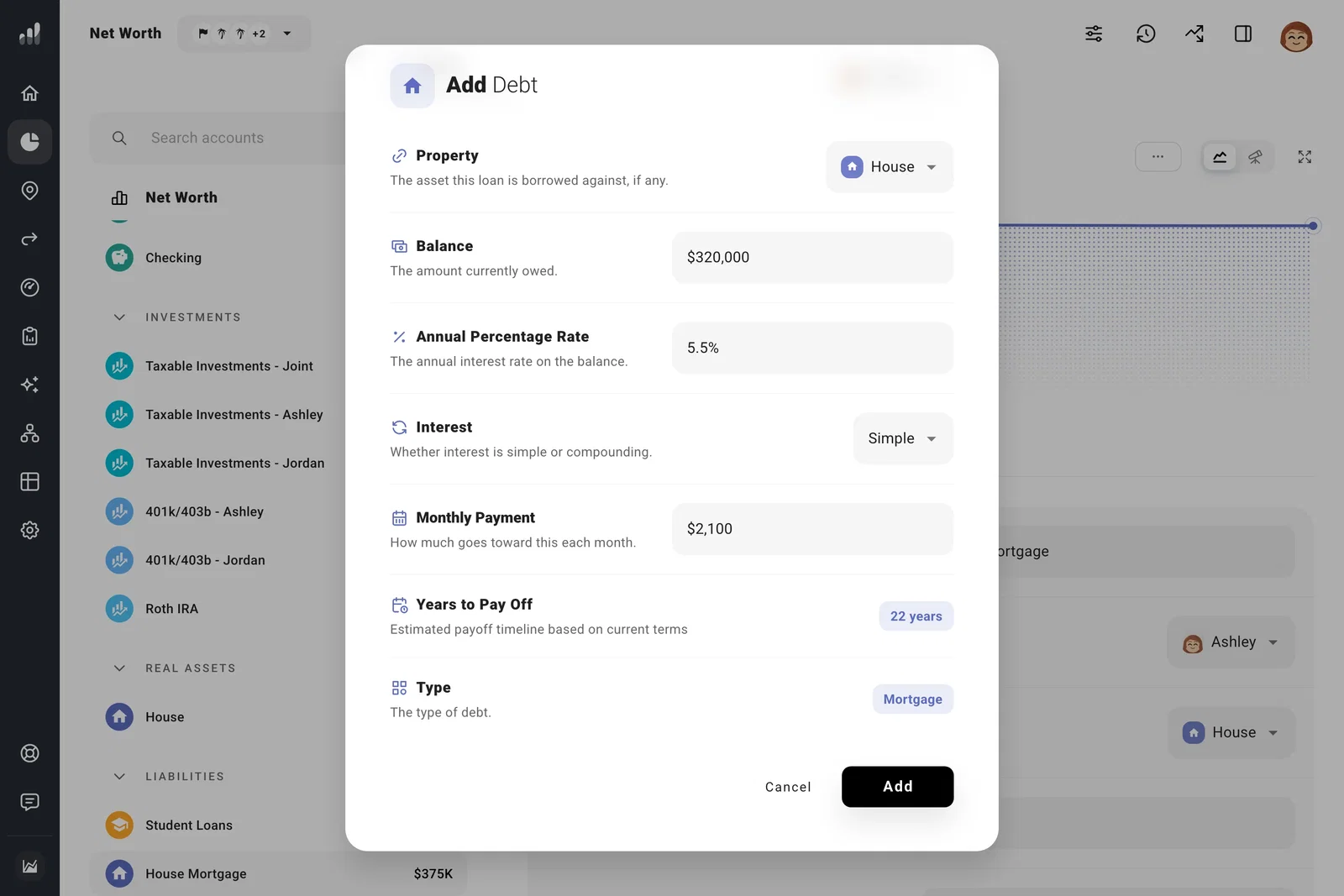
For a mortgage payment that includes property taxes and insurance, enter just the principal and interest here. Put taxes and insurance with the property so they’re counted once.
For an offset arrangement, open the loan’s Settings tab and choose the deposit account under Offset Accounts. Money in that account reduces the interest charged while the loan balance stays the same.
Add a loan you expect to take out later under Plan > Expenses > Future Debts. For repayment timing and forgiveness, see student loans.
Add a line of credit
For a home equity line of credit, choose Home Equity Loan and link it to your home. For another line of credit, choose Other Debt. Enter the amount you’ve drawn under Balance, rather than the total credit limit.
If something looks off
My debt grows instead of shrinking
Make sure the rate and payment match your statement. A payment smaller than the interest accruing won’t reduce the balance.
My expenses look too high
The loan already adds its payments to your plan. Remove any separate expense you entered for the same payment.
Next: Plan extra debt payments
