Set up a Tax Strategy
Roth conversions, withdrawals, and selling investments can all change your tax bill. A Tax Strategy lets them work toward the same target, such as staying within a tax bracket or protecting a health insurance subsidy.
Go to Optimize > Tax Strategy. Start with Common Strategy for a ready-made combination, or New Strategy to choose your own target and actions. Optimize searches combinations for a goal you choose, such as lower lifetime taxes. See Use Strategy Optimizer.
Choose the limit that matters to you
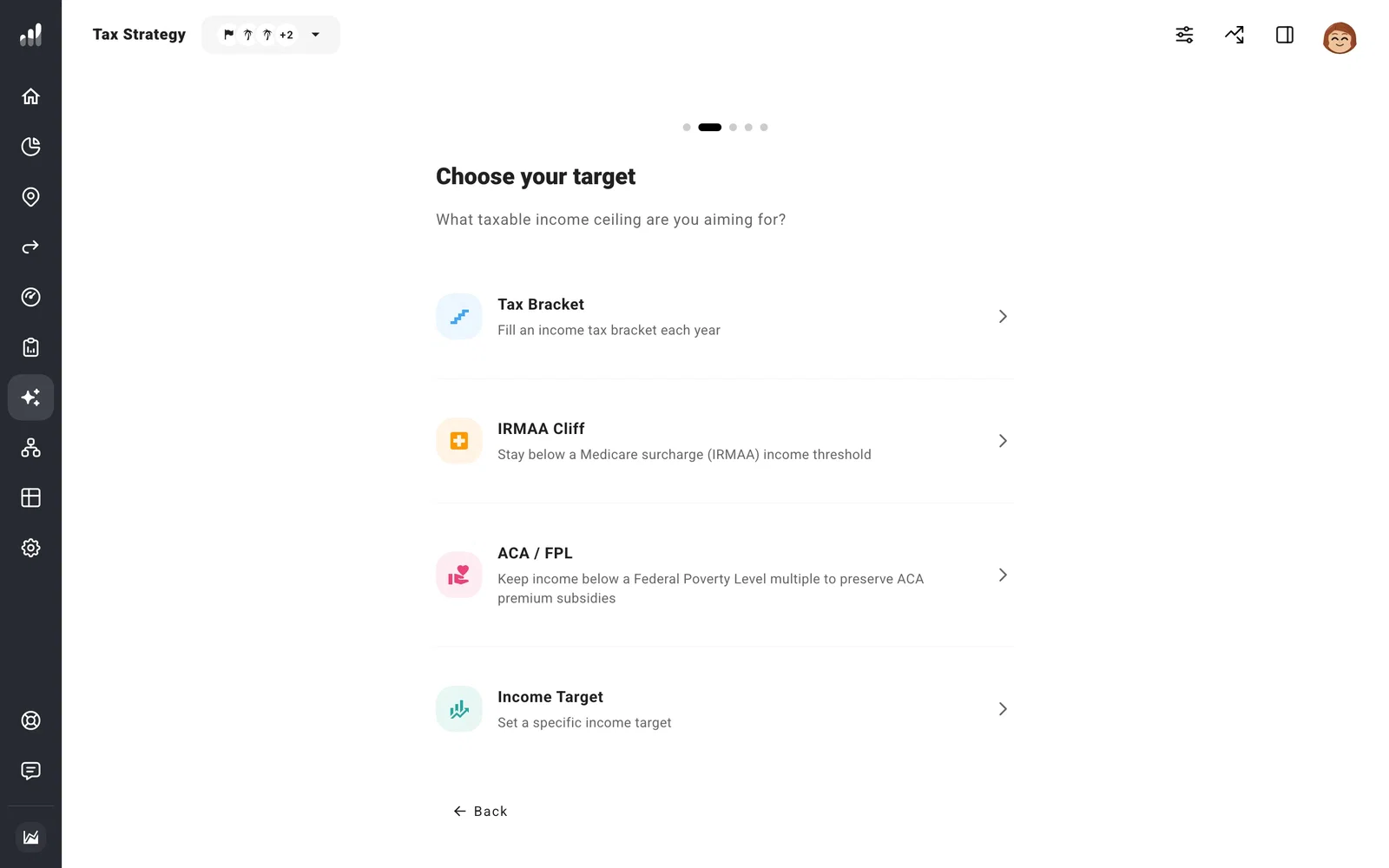
With New Strategy, choose what the strategy should stay under each year:
- Tax Bracket uses the top of the income-tax bracket you pick. It gives conversions or gains room in lower-income years.
- Income Target uses an income amount you enter.
- IRMAA Cliff targets a Medicare premium surcharge threshold (Income-Related Monthly Adjustment Amount).
- ACA / FPL targets income relative to the federal poverty level during Affordable Care Act (ACA) Marketplace coverage. This can help you test keeping a health insurance subsidy before Medicare.
Add guardrails
A bracket target might leave room for a conversion while a Medicare surcharge or subsidy limit makes that conversion less appealing. Add a guardrail for the other limit you want to respect. In each year, the strategy stops at whichever limit comes first.
For example, choose a tax bracket as your target and add Avoid IRMAA Surcharges to protect against crossing a Medicare threshold. Preserve ACA Subsidies applies in years where you’ve included ACA Marketplace coverage. Other choices include a capital-gains bracket, Net Investment Income Tax (NIIT), and the Old Age Security (OAS) clawback for Canadian plans.
Choose what the strategy does
On Enable modules, select the actions you want the strategy to take. Roth Conversions moves pre-tax savings to Roth. Withdrawal Shielding changes which accounts cover spending. Gain Harvesting realizes gains in taxable investments.
The walkthrough starts with applicable actions selected, so leave on the ones you want before creating the strategy. Use Estimate for Me under Settings > Tax > Tax Estimation so the strategy can estimate taxes against your target.
Compare the result
The Tax Strategy page shows the combined result beside No Strategy. Switch the chart between taxes, income, withdrawals, and account values to see what changed. Open an action’s card to adjust its accounts, time range, or annual limits.
Turn the strategy Off to see the plan without it while keeping your settings. We recommend copying your plan before trying a different target so you can compare the two.
Next: Compare tax strategies
