Plan extra debt payments
Updated Nov 18, 2026Updated Nov 18, 2026
Paying extra on a loan can clear it sooner and save interest. Add a Flow to see what it does to the rest of your plan; the loan’s required payment stays the same.
Go to Plan > Flows, select Add to Fund with Income, and choose the debt under Financed Assets or the relevant debt group. You can also start from the debt or financed asset itself.
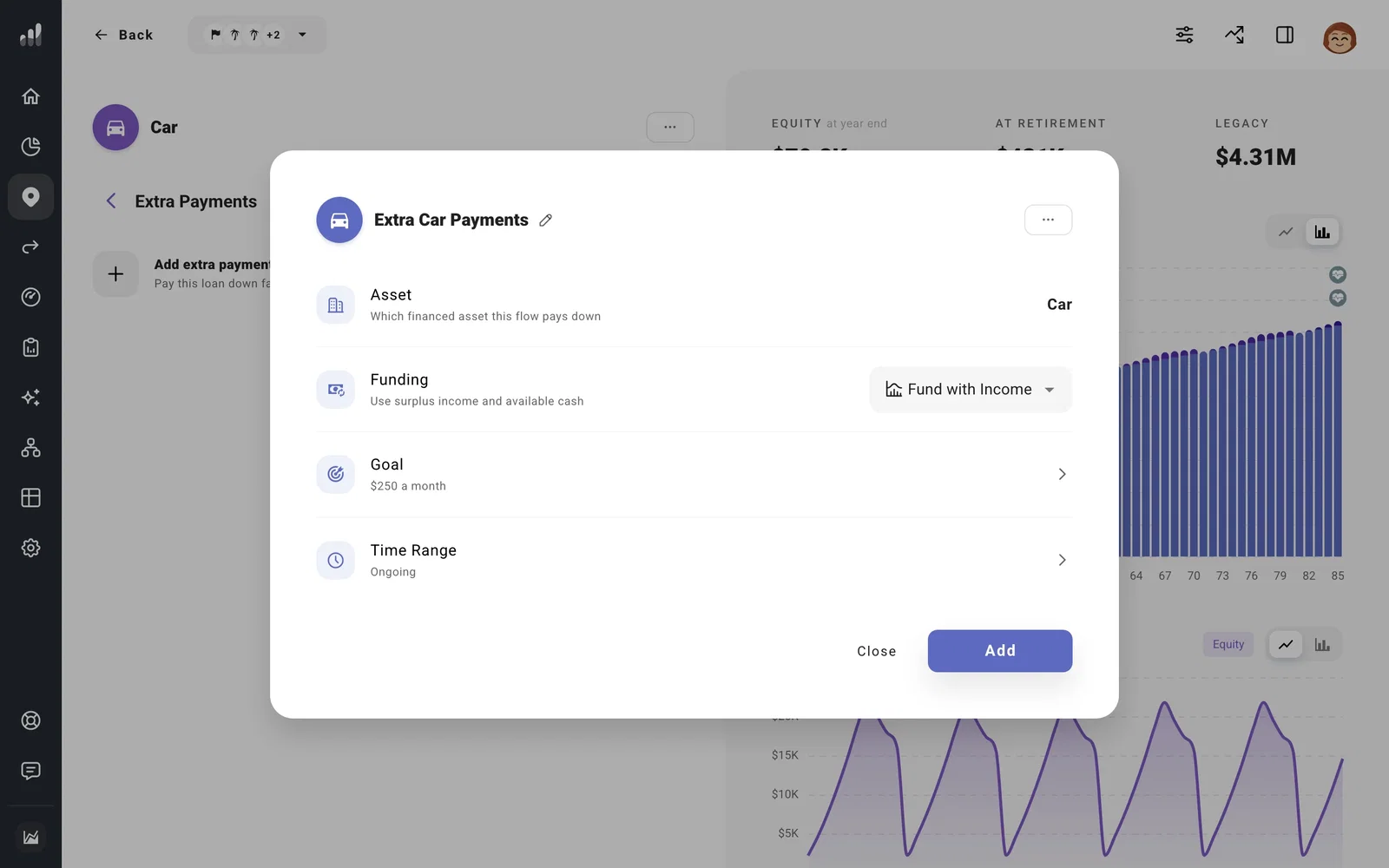
- Set the extra Contribution as a specific amount or % Balance Remaining. A percentage changes as the loan balance falls.
- Set the Time Range for when you want extra payments to run. Use a milestone if the plan should start or stop them when another event happens.
- Check Funding and the Flow’s position, then add it. Fund with Income uses available income; Always Fund, where offered, can draw from other accounts to make the extra payment.
Change the required payment, annual percentage rate (APR), or balance on the loan itself. The Flows chart shows the extra payments, and Cash Flow shows the payment alongside other money leaving the plan in a selected year.
If the debt is a student loan, Plan student loan payments and forgiveness covers its separate payment and forgiveness settings.
