Keep withdrawals under a tax limit with Withdrawal Shielding
You may have enough savings to cover retirement spending, but the account you use can change your taxes. Withdrawal Shielding spends from tax-free sources when a taxable withdrawal would push you past a limit, such as a tax bracket or Medicare surcharge threshold.
Choose the income limit
Open Optimize > Drawdown > Withdrawal Shielding. Choose Common Strategy for a ready-made target, or New Strategy to choose one yourself. An existing Tax Strategy supplies the target already.
For example, you can target a tax bracket while adding a guardrail to preserve an Affordable Care Act (ACA) subsidy. The same target can guide Roth conversions and gain harvesting, so those actions work together.
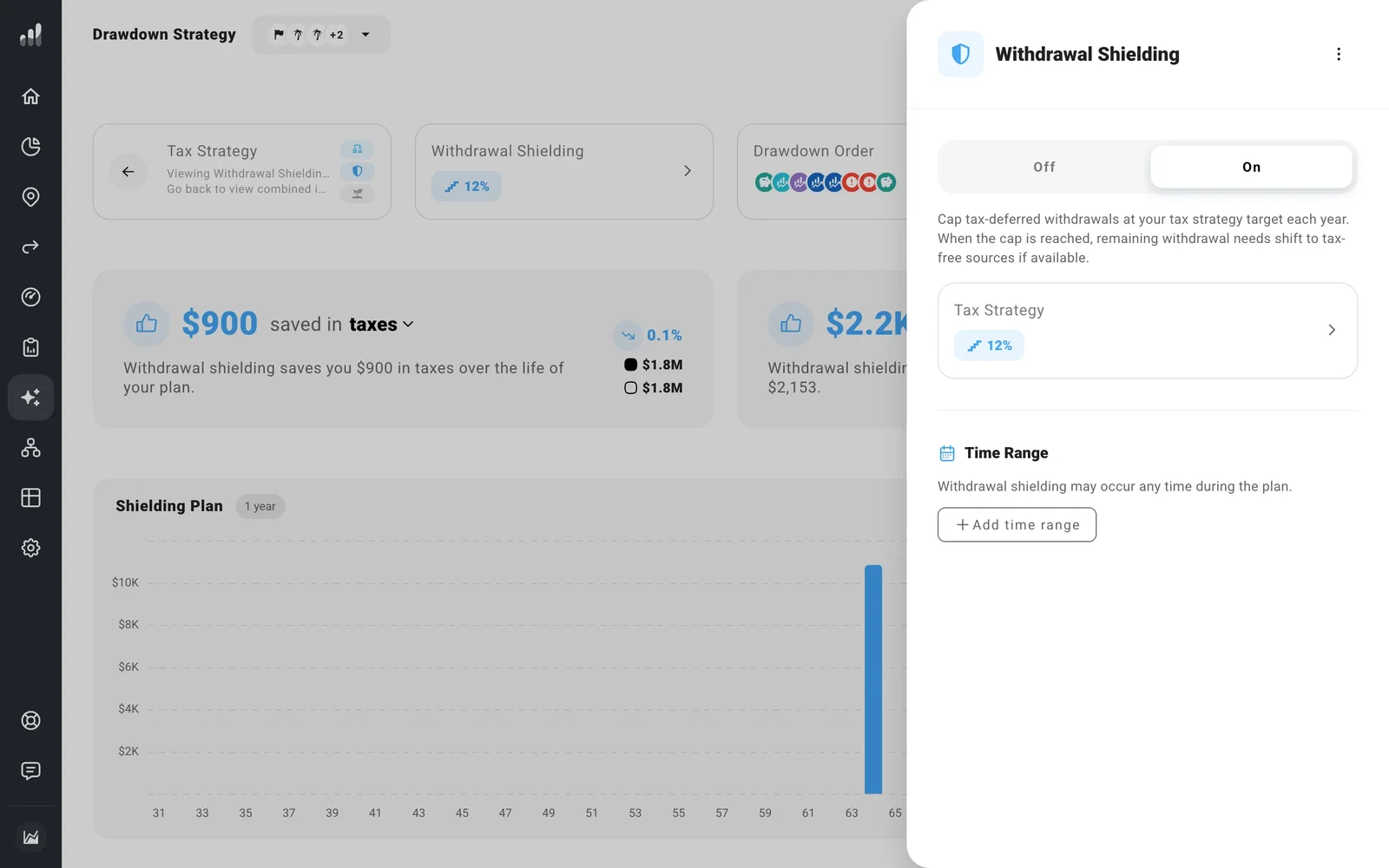
In the shielding settings, turn it On. Use Add Time Range to apply it only during part of retirement, such as the years before Medicare.
See which accounts cover spending
The Shielding Plan shows the withdrawals year by year beside No Strategy. Select a year and open Details to see which accounts pay instead.
Shielding needs available tax-free money to replace taxable withdrawals. If spending uses all of it, the rest comes from taxable sources and appears as Unshielded.
Use the comparison to see both the current tax savings and the effect on later balances. Using Roth money now leaves less of it for later, while preserving pre-tax balances can change future required withdrawals.
Next: Plan Roth conversions
