Plan in Canada
ProjectionLab offers a growing list of international tax presets, account types, and display currencies.
For Canada, that includes federal and provincial tax, RRSPs and TFSAs, CPP and OAS with the OAS clawback, RRIF minimum withdrawals, and pension income splitting for couples.
Choose Canada and your province under Account Settings > Location. The province affects your tax estimate; check it under Settings > Tax > Tax Estimation in the plan.
Add RRSPs and TFSAs
On Net Worth, select + beside Search accounts and switch the country filter to CA. Choose RRSP (Registered Retirement Savings Plan) or TFSA (Tax-Free Savings Account), enter its current balance and owner, and select Add. Use Flows to plan future contributions.
CA Limit applies a yearly contribution limit. If you have accumulated unused room, select Custom Limit under the Flow’s Goal > Yearly Contribution Limit and enter the room you want to model. For a TFSA withdrawal, include the room it restores in your Custom Limit for the following year. Set the Flow’s Time Range to the years that limit applies.
Set up retirement income
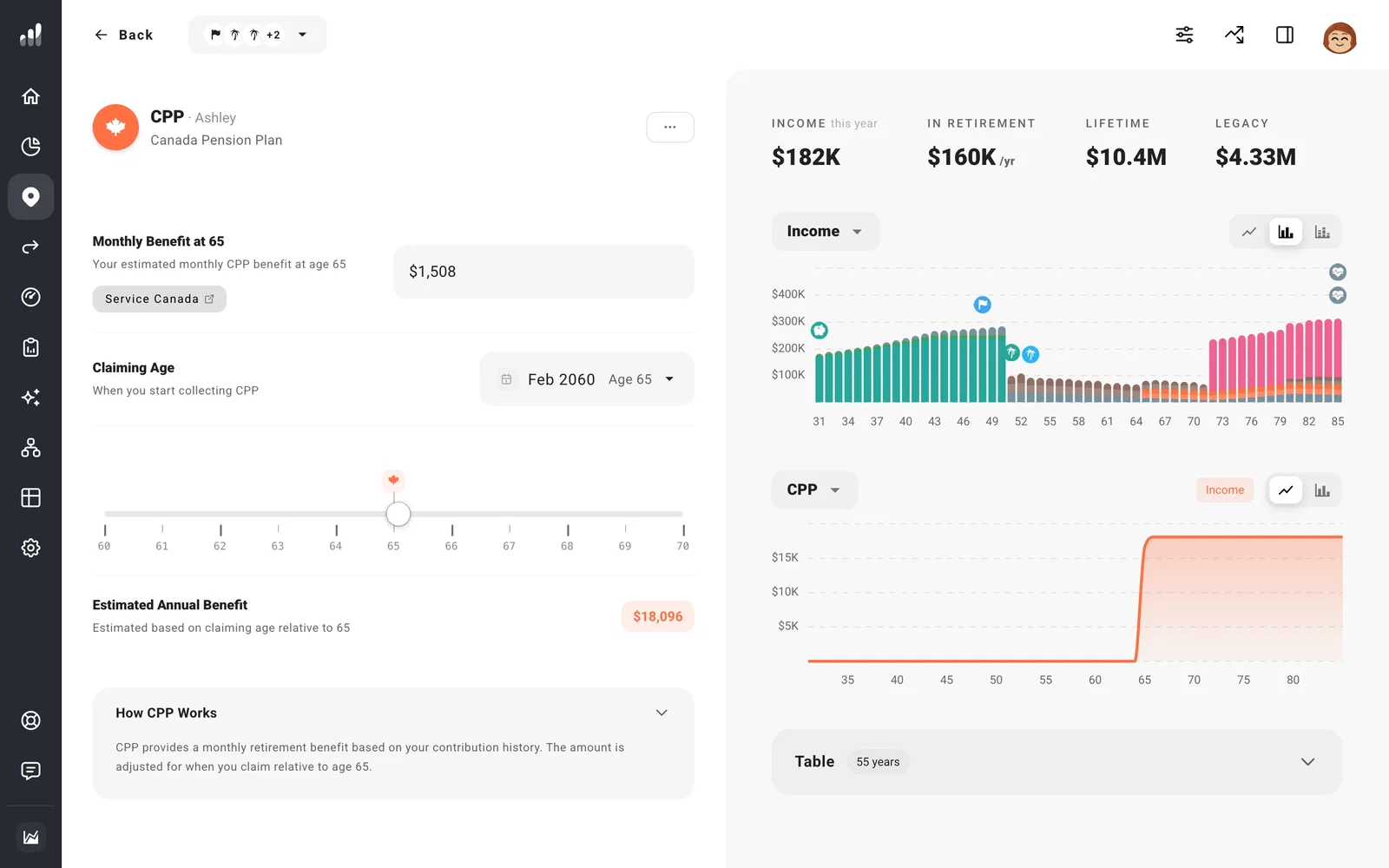
ProjectionLab adds Old Age Security (OAS) and Canada Pension Plan (CPP) income for each adult under Plan > Income. Open each person’s CPP and check Monthly Benefit at 65 against their own estimate. Claiming Age changes when payments begin and adjusts the benefit.
OAS starts with a full-residency estimate. If that does not fit your history, turn off Full Residency in the OAS event and enter your years of residency. Review the claiming age there too.
With RRIF Start set to Auto, RRSP minimum withdrawals begin in the year the account owner turns 72. To start RRIF (Registered Retirement Income Fund) withdrawals earlier, open the account’s Plan tab, then Required Minimum Distributions > RRIF Start. You do not need to add a Transfer for these minimums. For an additional planned withdrawal into another account, use a Transfer.
Check a couple’s tax result
Canadian plans tax each person separately. Open Settings > Tax > Income Splitting to review Pension Income Splitting and CPP Pension Sharing, both on by default. Turn off an election you do not want the plan to use. These settings can explain why one partner shows pension income from the other’s account.
Tax Analytics separates federal and provincial tax. It also shows OAS Clawback when income reduces the benefit, so check it if OAS is lower than expected.
