Plan a home or property purchase
Thinking about buying a home? Add the purchase to see how the down payment, mortgage, and ongoing costs fit with the rest of your plans. The property includes starting estimates for tax, insurance, and maintenance, so keep those costs here rather than adding them again under Expenses.
Under Plan > Real Assets, select Add to Future Purchases > Real Estate > House. Choose Rental Property instead if you’ll rent it out. If you already own the property, add it on Net Worth.
Plan when and how to buy
Set Purchase Date to a date or milestone. A milestone is useful if you’re waiting until retirement or until you’ve saved enough: move the milestone, and the purchase moves with it.
Enter the purchase price and what you expect the property to be worth when you buy it. These are often the same, but you can use different amounts if you’re buying below or above market value.
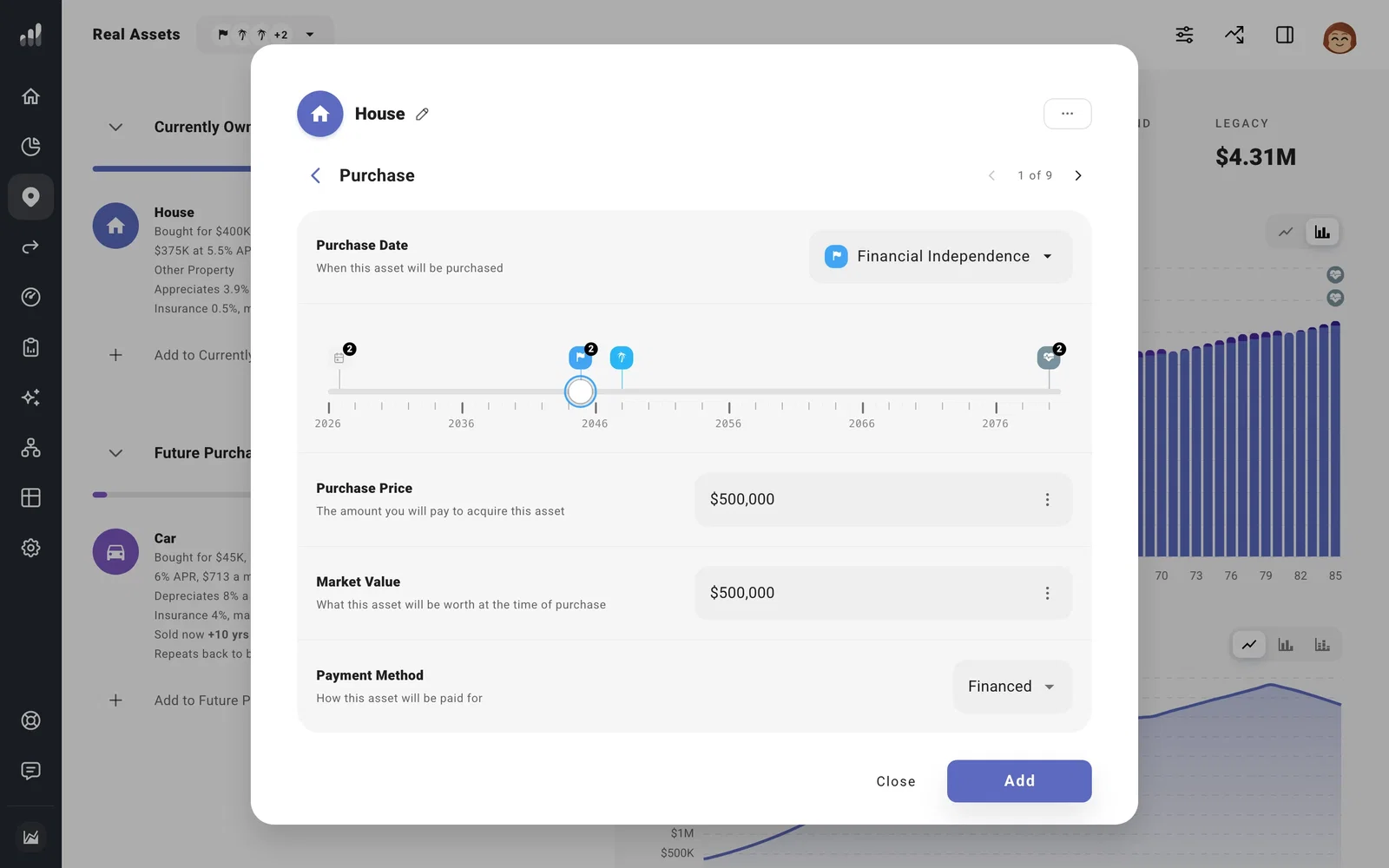
Choose Financed to add a mortgage, then open Financing to enter the down payment, interest rate, and monthly payment. Choose Paid in Full for a cash purchase. To pay from a particular account, choose it under Funding Source.
For an interest-only mortgage, enter the interest-only amount under Monthly Payment. Use Extra Payments for principal payments you expect later.
For a mortgage offset, choose Offset Accounts under More Options. Their balances reduce the mortgage interest in your plan.
Include the cost of living there
Under Usage, choose Primary Residence if this will be your home. Your planned rent stops while you live there. Choose Other Property for a second home or investment property.
Adjust property tax, insurance, maintenance, and homeowners association (HOA) costs under Taxes and Expenses. These are separate from the mortgage’s principal and interest.
The starting estimates for property tax and insurance use your plan’s current location. If you’re buying somewhere else, enter the rates for that location.
How property tax grows
A fixed tax rate can still mean a larger bill as your property grows. Under Taxes, change Assessed Value from Market Value to Specific Value if your tax assessment differs from market value. Reassessment Behavior lets you limit how quickly the assessed value rises.
If you enter a tax amount instead of a percentage, its currency setting determines whether it stays fixed or grows with inflation.
For a rental, add rental income and deductions before finishing the property.
Next: Try the purchase with Compare to see how buying changes your plan.
