Add pension or annuity income
A pension or annuity can cover part of your retirement spending before you draw from savings. Add the payments you expect, or let your plan estimate a workplace pension from your pay.
Add payments you already know
Go to Plan > Income and select Add to Benefits > Pension Income. Enter the payment amount and frequency, choose the Earner, and set Time Range to when payments begin and end. Payments start at retirement by default; change that date if your pension starts earlier or later.
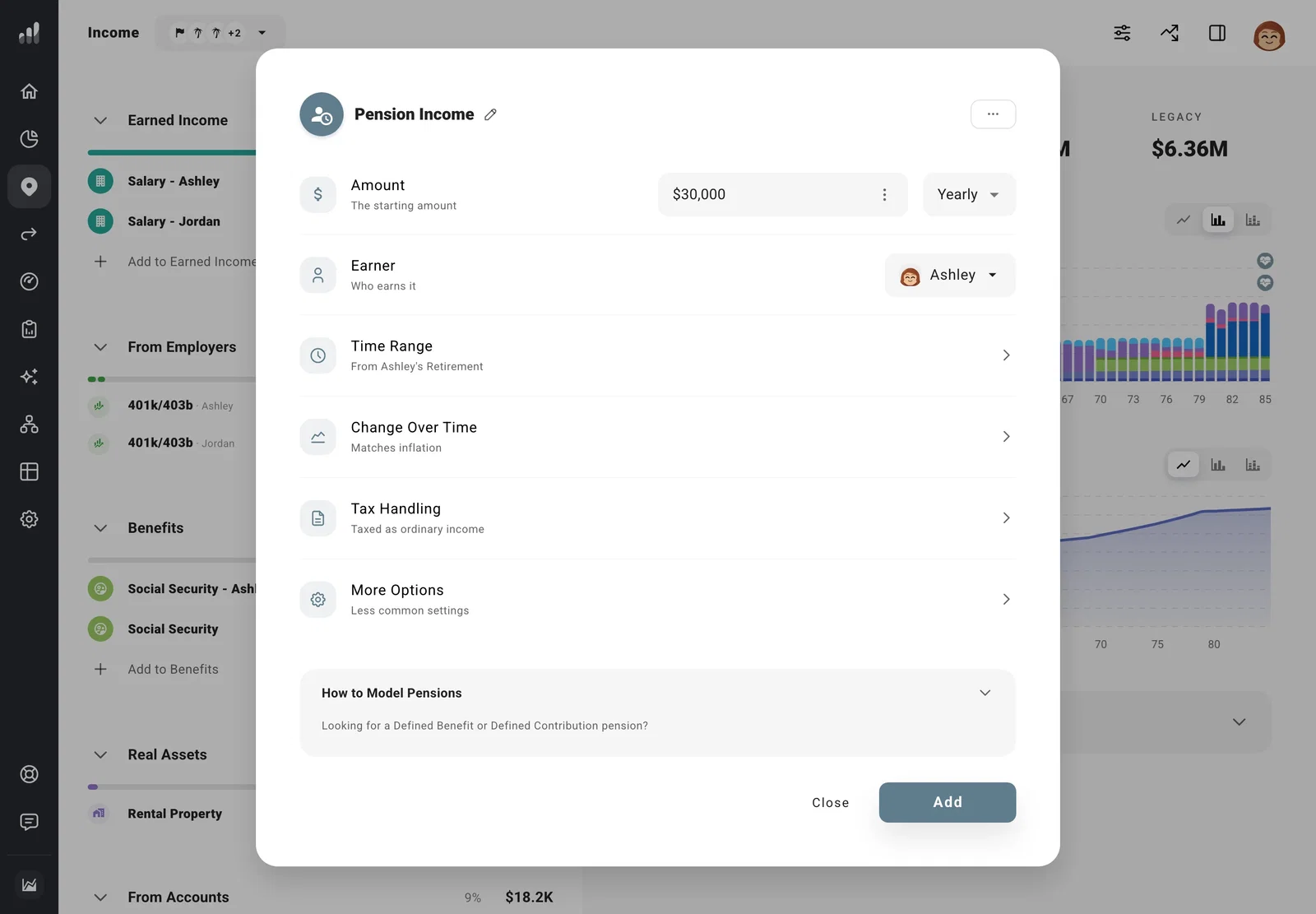
Under Change Over Time, match the pension’s cost-of-living increases. Match Inflation keeps its purchasing power steady. None keeps the payment fixed, so it buys less over time. You can also enter a particular annual increase. A payment that keeps up with inflation looks flat on a chart shown in today’s currency and rises in actual currency.
For a lump-sum payment instead of regular income, change the frequency to Once and set its payment date. If you’re comparing a lump sum with monthly payments, put each option in a separate plan and compare them.
Estimate a pension from your salary
If your pension depends on what you earn, open that Salary. Under More Options, turn on Defined Benefit Pension.
Enter any pension contributions and when the payouts start and end. Under Payout Type, choose a percentage of final pay, a percentage of career-average pay, or a fixed amount. Enter the share of pay under Percent Received, or the amount under Yearly Payout, depending on your choice.
Tax-Deductible Contributions reduces taxable income by your pension contributions. Turn on Tax-Free Payouts if your pension payments are tax-free.
If your pension provider has already given you an estimated payment, adding it as Pension Income is the simpler route. Working part-time before retiring? The salary-based formulas use full-time pay, so use your provider’s estimate if your pension depends on reduced-hours earnings.
A pension that builds an account balance, such as a 401(k), belongs on Net Worth, with contributions under Plan.
Include payments to a surviving partner
If the pension continues at a lower amount after one person dies, keep their payments through their Life Expectancy milestone. Add a second Pension Income for the surviving partner, starting the following year, with the amount they’ll receive. Set the end to match how long the survivor benefit lasts.
Add annuity income
Use Pension Income for the annuity’s payments, with the amount, timing, and increases from the contract. For a deferred annuity, set Time Range to when payments begin, rather than when you buy it.
If you’ll buy the annuity later, add the purchase as a one-time expense as well, so your plan includes both the upfront cost and the income that follows.
