Compare tax strategies
A strategy that pays the least tax isn’t always the one that leaves you with the most money. Compare tax strategies side by side to see what each one changes across retirement.
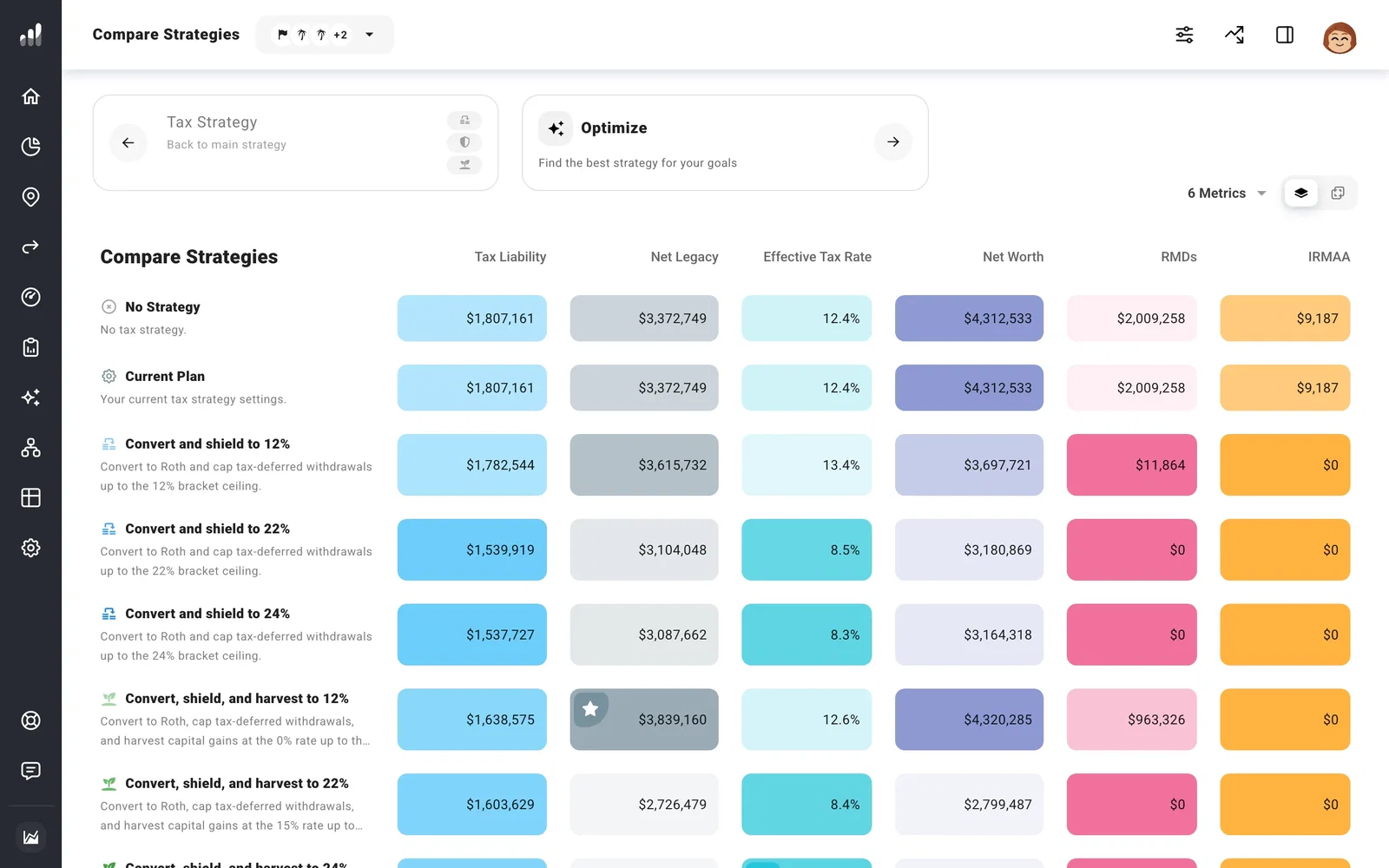
Open Optimize > Tax Strategy and select the Compare card. The table includes common strategies, No Strategy, and Current Plan, so you can compare new choices with your plan you’ve already built.
Start with the result you care about
Look at lifetime tax liability alongside net worth and net legacy. A strategy might pay more tax on Roth conversions early, then leave more money after tax at the end. Another might lower lifetime taxes while spending more from tax-free accounts along the way.
Use Metrics to choose the results you want in the table. Values shows totals; Delta shows differences from the selected comparison. A highlighted cell favors that metric, so follow a row across the table before choosing it.
If you’ve planned charitable giving in Estate, Net Legacy here uses the amount labeled To Heirs. This lets you compare what your heirs receive after the gift.
Look at when the difference happens
Use the selectors below the table to choose two strategies. Switch a chart to Strategy Impact to see their year-by-year difference, then open Details for that year.
A row marked Out of money in a particular year needs attention before its tax total is useful. A plan that stops funding expenses early can show lower taxes simply because it runs out sooner.
Try a strategy in your plan
Select a common-strategy cell and choose Apply Strategy. This replaces the current tax target and enabled actions. To keep both versions, copy your plan before applying the new strategy.
For a custom target, set it up as your current Tax Strategy, then return to compare Current Plan with the alternatives. These comparisons use your plan forecast. After choosing a strategy, run Chance of Success to test it across different markets.
Next: Use Strategy Optimizer
