Use the Plugin API
Build your own balance sync or planning automation with the Plugin API. It runs in the browser while ProjectionLab is open.
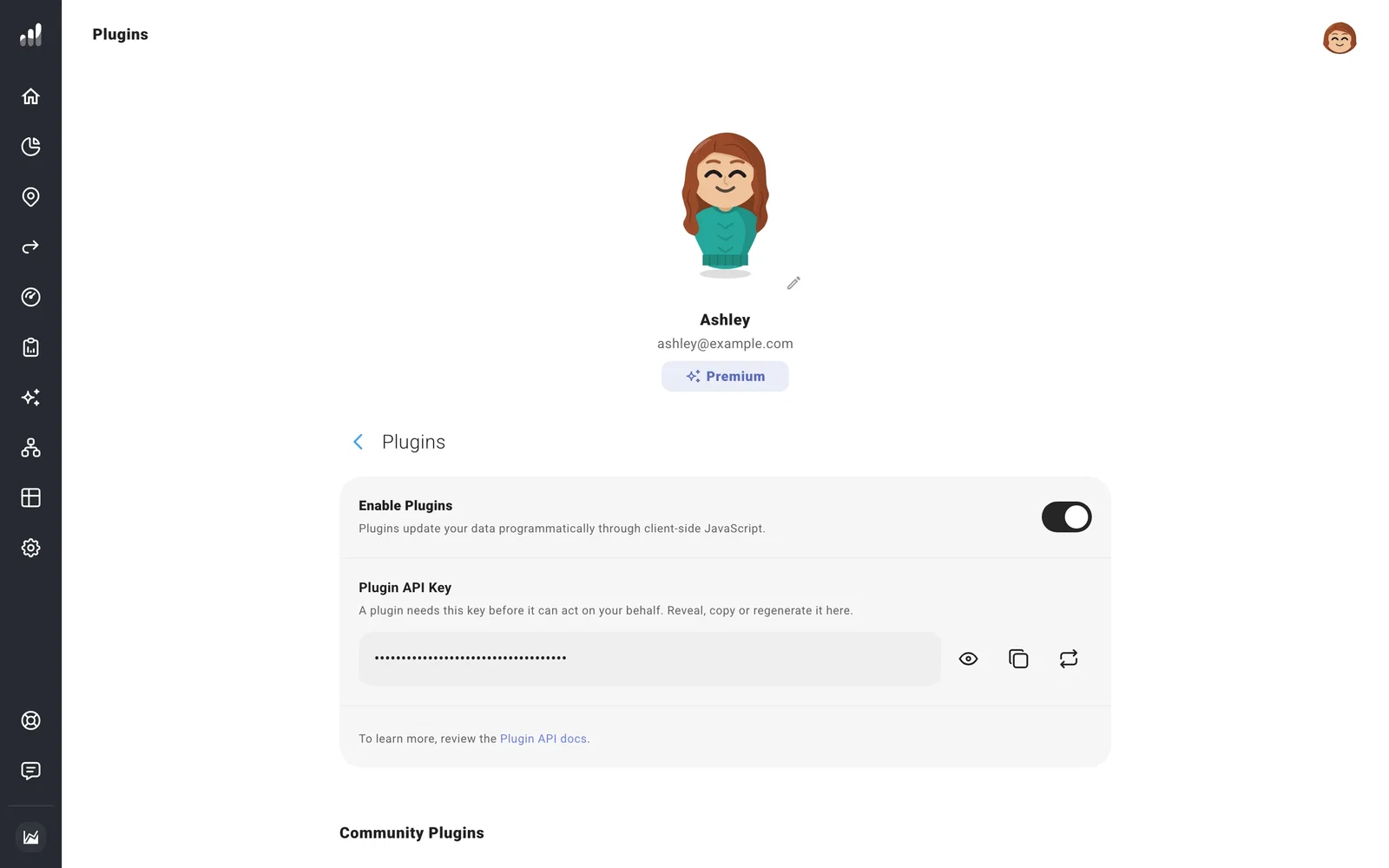
Go to Account Settings > Plugins, turn on Enable Plugins, and copy your Plugin API Key. Your integration can then call window.projectionlabPluginAPI with that key.
Match accounts before updating them
Use getAccounts() to find accounts and their IDs, then updateAccountValues() to update balances, property values, or cost basis. Match by ID so renaming an account keeps the connection intact.
Use amounts in your profile’s currency, and enter debt balances as positive amounts owed. Open Net Worth after the first update to confirm the match before automating future updates. The API documentation gives the method signatures and examples.
For a complete portable backup, use exportData() or the app’s Export Data action. A list returned by getAccounts() contains current accounts and values; the complete export includes plans, settings, and account history too.
If something looks off
The API says my key is invalid
Confirm Enable Plugins is on and use the current key. Regenerating it replaces the key immediately, so update every integration that uses it.
The update worked, but I can’t see it on another device
An accepted update changes the open app first. Give autosave time to finish and resolve any save error before closing it.
Keep the key private, including in screenshots and source code. For a ready-made integration, choose a community plugin.
