Plan your retirement transition
You can retire in stages: reduce your hours, earn from another job, or start pensions and benefits later. Put each stage in your plan to see how you’ll cover the years in between.
Set when work changes
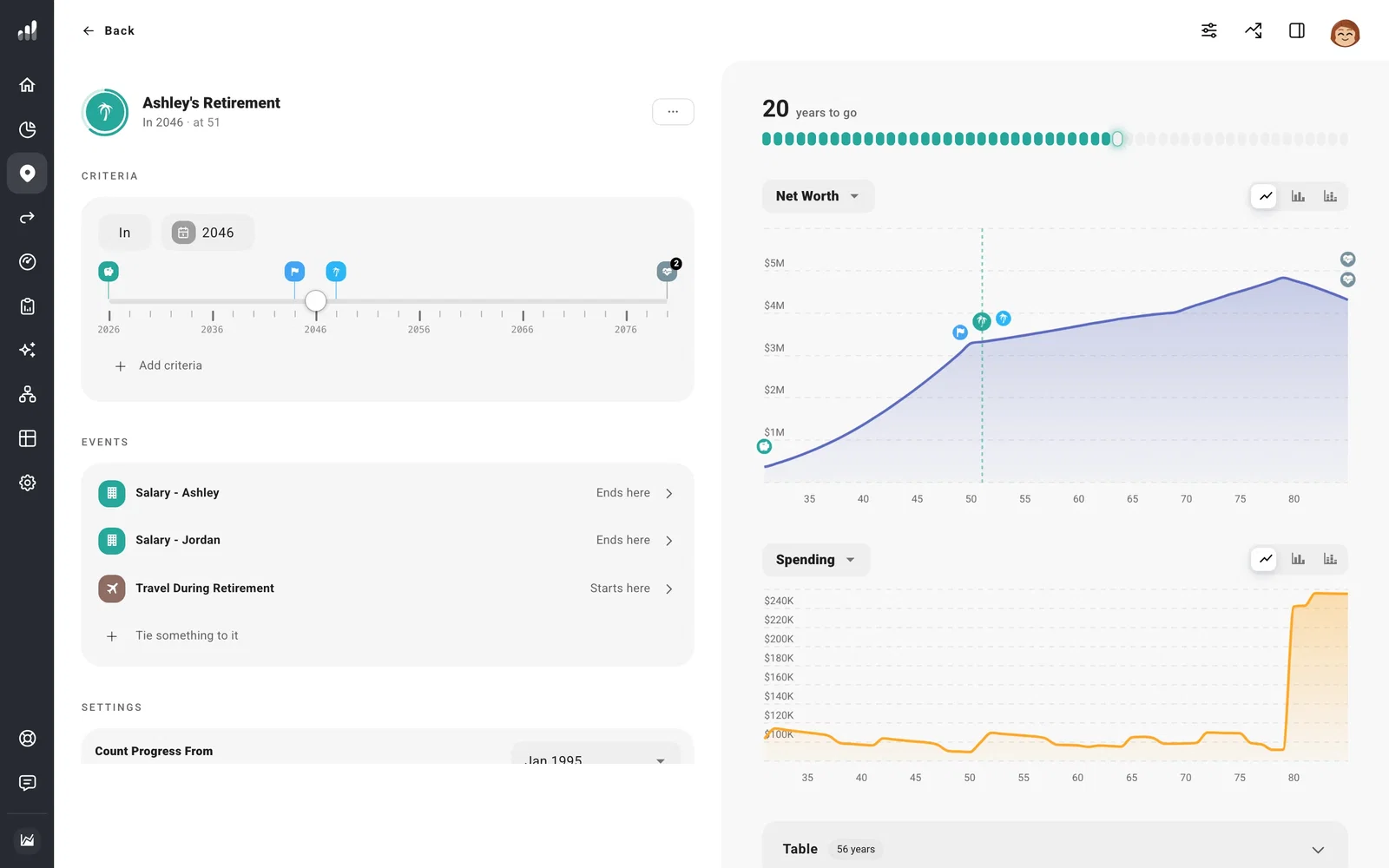
Go to Plan > Milestones and open your retirement milestone. Set the age or date you’re considering. Under Events, you can see which salaries, expenses, and contributions already follow that date.
For a gradual retirement, open your salary under Plan > Income. In More Options, turn on Part-Time Work. Set when reduced hours begin and end, then enter the Income Percentage you’ll still earn. The percentage is a share of your full salary, not the number of hours you work.
If you expect to leave one job and do different work, end the first salary and add the new income separately.
Give pensions, benefits, and expenses their own dates
You can stop working before you claim Social Security or start a pension. Set pension dates in that income’s Time Range. For US Social Security, Estimate Benefit lets you choose a claiming age and see how it changes the payment.
Add costs that change when you retire, such as travel or healthcare, and end costs that go away. In a US plan, Marketplace coverage can cover the years between leaving employer insurance and starting Medicare. Set retirement contributions to end when you expect to stop making them.
Use Tie something to it in the retirement milestone to bring changes onto the same date. Moving the milestone then moves those changes together. Anything with its own date stays where you put it.
Try a different retirement date
Try an earlier or later retirement in Compare > What If before changing your saved plan. Look at the years after work ends in Cash Flow to see which income and accounts cover your spending. If money should become available later, set the account’s withdrawal rules.
Retirement can also start when you reach a financial target, rather than a fixed age.
