Plan your savings with Flows
Once your expenses are paid, where should the extra money go? Use Flows to build your emergency fund, save for retirement, invest, or pay down debt in the order you choose.
Add what you’re saving for
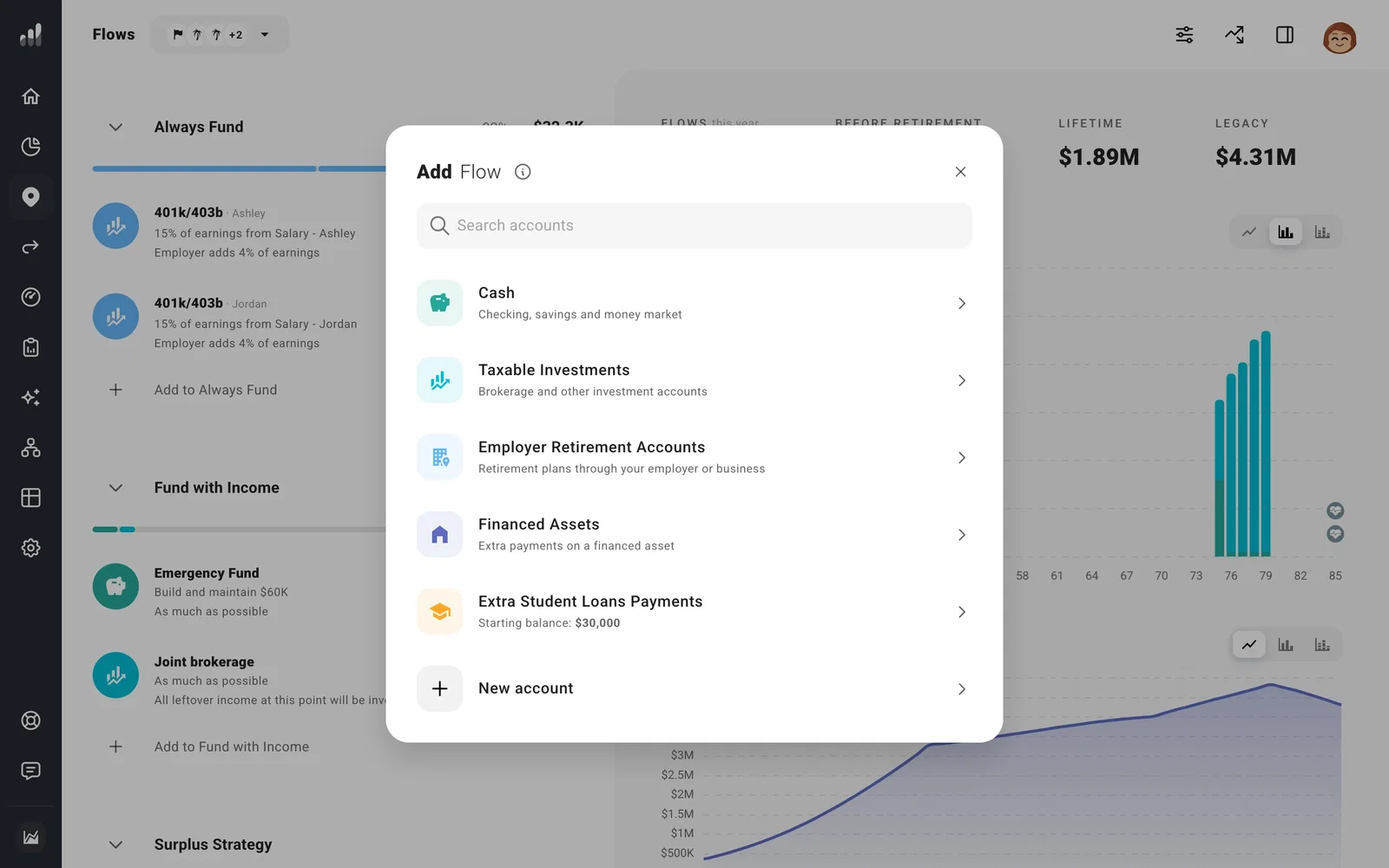
Go to Plan > Flows > Add to Fund with Income and choose the account you want to add money to. Select New account if you haven’t added it yet.
Open Goal to choose how much to save. For a regular contribution, choose Specific Amount. To save a share of your spare income, use % of Remaining Income. Choose Maximize Contribution for an account that should receive everything left over.
If your contributions should stop at retirement, start after a loan is paid off, or change at another point in your life, set that in Time Range before adding the Flow. You can use dates or milestones.
For an amount you want to keep raising with inflation, choose Today’s Currency. Choose Actual Currency to keep contributing the same number each year. More about currency choices.
Contributions from your paycheck, including an employer match, belong on the income they come from. See Add retirement contributions.
Put your priorities first
Drag Flows into the order you want them funded. For example, an emergency fund first, then an IRA, then whatever’s left to a brokerage account.
Tip
We recommend putting an unlimited Maximize Contribution Flow last in its section. It can use all the money available, leaving nothing for the goals below it.
Keep saving in a low-income year
Fund with Income saves from the money available that year. For a set contribution or cash target you want to keep funding in a low-income year, choose Always Fund. It can use other eligible accounts to cover the contribution.
Paycheck-linked contributions end when that income stops. To keep saving after leaving a job, add a separate Flow directly to the account.
Always Fund runs before Fund with Income. Within each section, your Flows follow the order you set.
Open Cash Flow to see where your money goes in a particular year. Any income left after your Flows follows your Surplus Strategy.
