Add Social Security and other government benefits
Add your Social Security benefit to see how much it adds to your retirement income, and how the age you claim changes it.
Estimate your Social Security
Your Social Security record gives you a starting number. Estimate Benefit uses it to project what you could receive at different claiming ages, including the work you’ve planned before retirement. It also handles spousal and survivor benefits.
- Go to Plan > Income and open Social Security under Benefits. If it isn’t there, select Add to Benefits > Social Security.
- Choose Estimate Benefit.
- Enter your Primary Insurance Amount: your monthly benefit at Full Retirement Age based on work you’ve done so far. Select SSA My Account below the field to find it. In the SSA estimator, set future average annual salary to $0 so future work isn’t counted twice.
- Turn on Include Planned Earnings so the work in your plan adds to your benefit.
- Choose your Claiming Age, anywhere from 62 to 70. The form shows your Full Retirement Age, when you’d receive your full benefit.
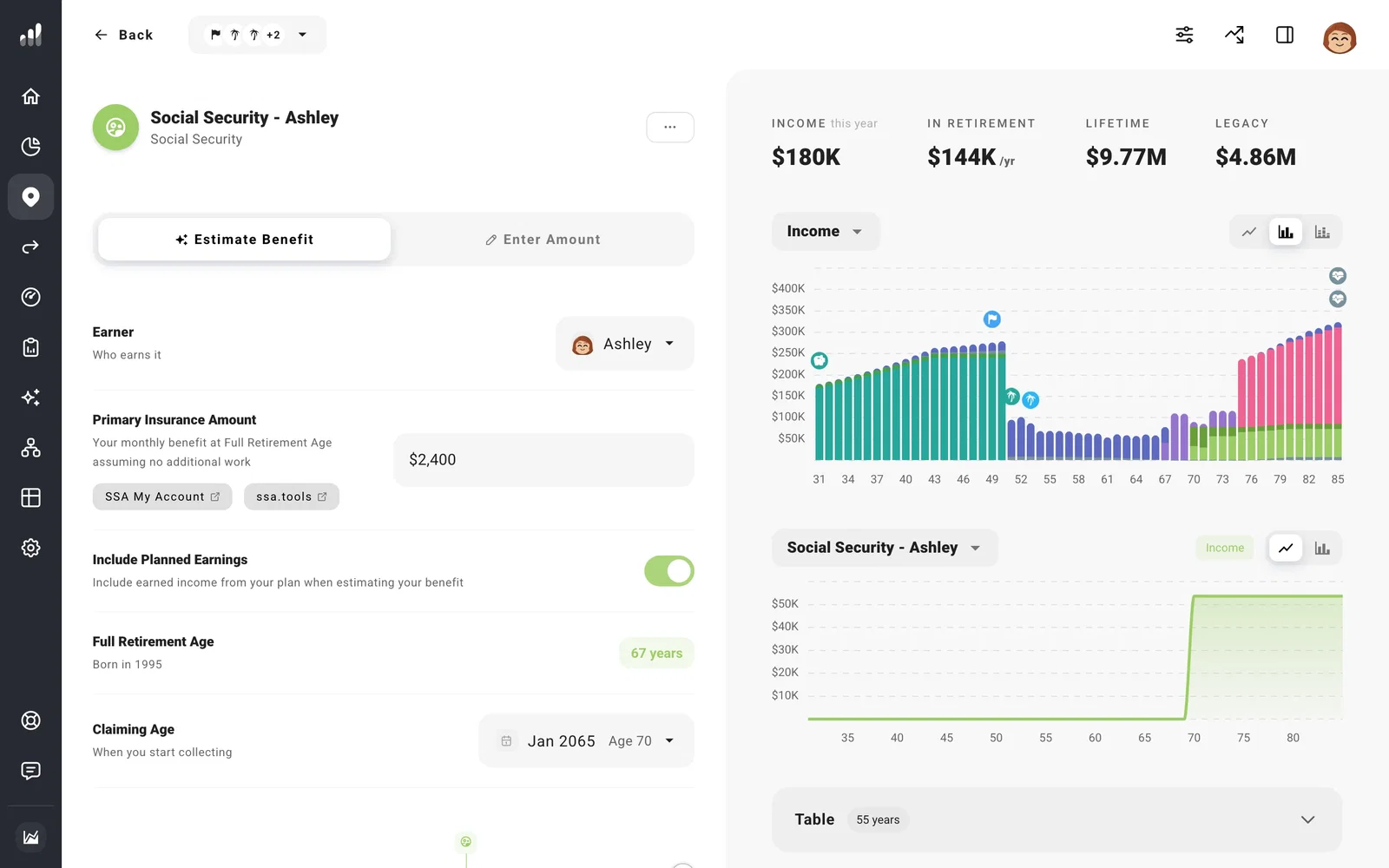
Choosing when to claim
Claiming before your Full Retirement Age permanently lowers your monthly benefit; waiting until as late as 70 raises it. For example, if your benefit at a Full Retirement Age of 67 is $2,000 a month, claiming at 62 pays about $1,400 a month, and waiting until 70 pays about $2,480. Claiming later means a larger check for fewer years, so the difference adds up over time rather than all at once.
To see what claiming at 62, 67, or 70 means for your whole plan, try each one with Compare > What If and watch how your net worth and income change.
Divorced or widowed
If you were married for at least 10 years, are now divorced, and are currently unmarried, you may be able to claim on your ex-spouse’s record. Turn on Divorced Spousal Benefit and enter their Primary Insurance Amount.
If your spouse died before your plan starts, turn on Widowed Survivor Benefit and enter the monthly benefit they were receiving. The info icon explains which amount to use if they claimed early or never claimed.
If you already know your benefit
If you’re already receiving Social Security or have a number you’d rather use, choose Enter Amount and enter it with its start date.
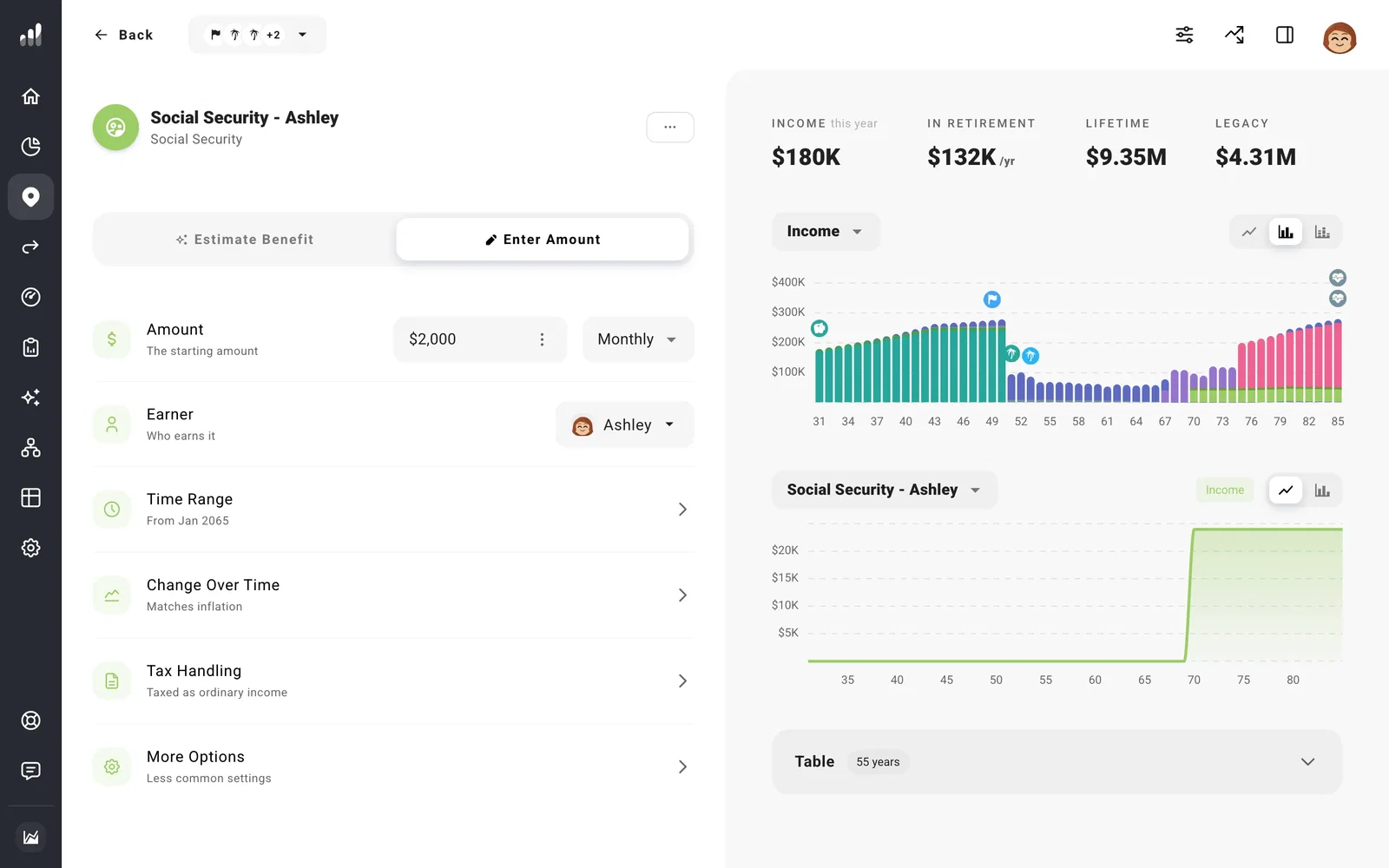
Smaller benefits or increases
To plan on less than you’ve been quoted, lower Expected Percentage.
Your benefit keeps up with inflation each year. To test smaller cost-of-living increases, change Benefit COLA Modifier in Settings > Rates. If a future benefit looks much larger or smaller than your statement, check whether the chart is shown in today’s currency or actual currency.
Enter your benefit before Medicare premiums come out, since those are already in your expenses.
Canada: CPP and OAS
Canadian plans include the Canada Pension Plan (CPP) and Old Age Security (OAS) for each adult, under Benefits.
- CPP: enter your Monthly Benefit at 65 from your Statement of Contributions, then choose a Claiming Age from 60 to 70. For couples, CPP is shared between you automatically in years when that lowers your household’s taxes.
- OAS: your benefit is estimated for you. Choose a Claiming Age from 65 to 70. It assumes full residency, so if you lived outside Canada for part of your adult life, enter your actual years instead.
If your income is high enough, part of your OAS is clawed back, and your plan includes that. To keep your income under the clawback while converting or withdrawing, use the Avoid OAS Clawback guardrail in a tax strategy.
Other countries
Add your state pension under Benefits > Pension Income, with the amount and the age you’ll start receiving it. See Add pension or annuity income.
If something looks off
My benefit is higher than my Social Security statement
If your statement includes future earnings, Include Planned Earnings can count that work again. Use the estimate with no future earnings as your Primary Insurance Amount, then let the work in your plan add to it.
My spousal benefit isn’t showing
Use Estimate Benefit for both partners so ProjectionLab has both earnings records. A spousal benefit adds to your own only when you’re eligible for a higher amount, and starts once both partners have claimed.
Next: Use Plan Overview
