Choose your withdrawal order
Your withdrawal order decides which savings cover spending first when income falls short. That choice can change your tax bill now and the balances left for later retirement.
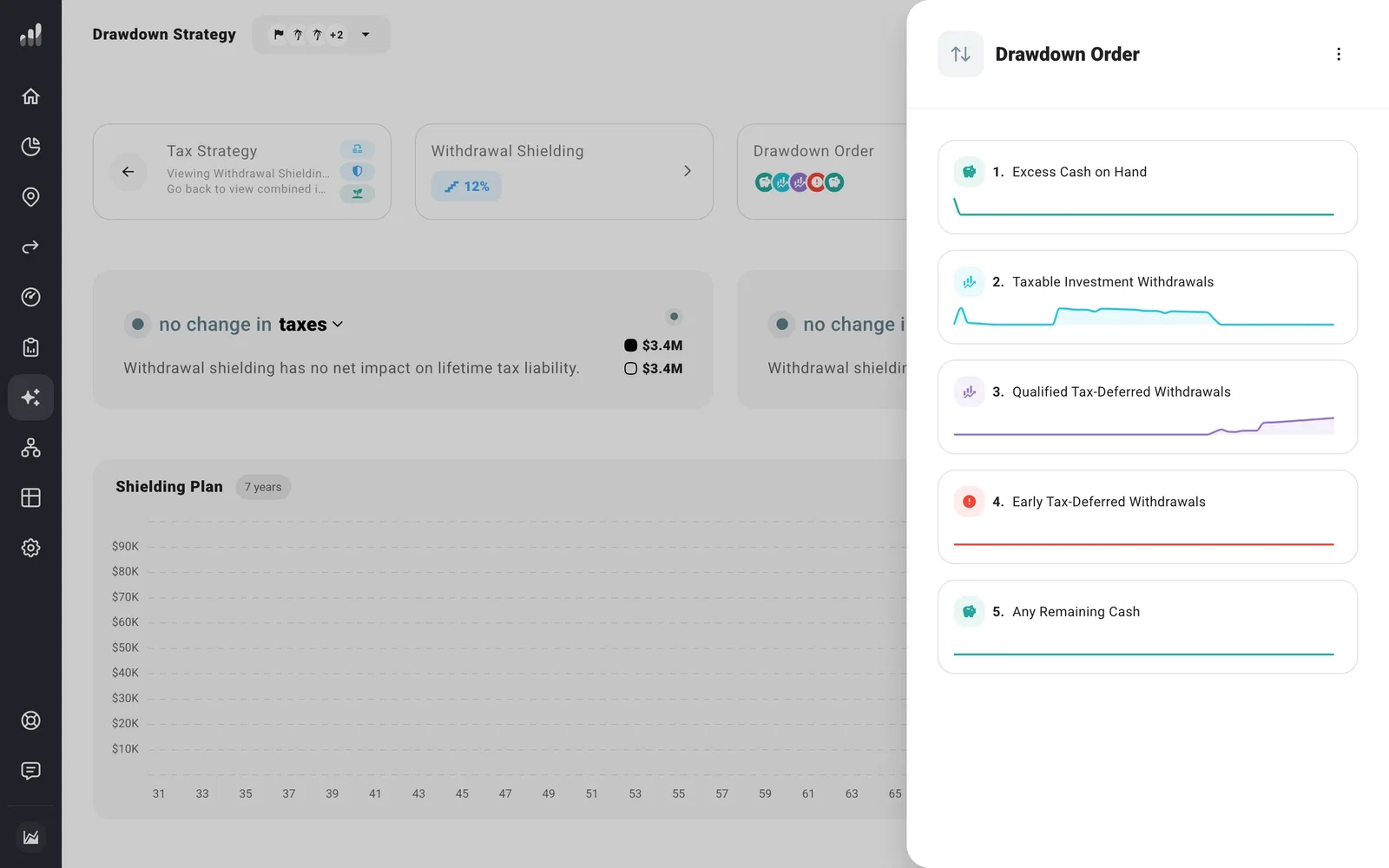
Open Optimize > Drawdown > Drawdown Order. Drag a source higher to use it sooner or lower to save it for later.
Think beyond the first withdrawal
Cash can cover spending without creating investment gains. Selling taxable investments can realize capital gains, while pre-tax retirement withdrawals usually add to ordinary income. Qualified Roth withdrawals can cover spending without raising taxable income.
Using taxable savings first can leave retirement accounts growing for longer, but that can also mean larger required withdrawals later. Taking some pre-tax money in lower-income years can produce a different result. Try another order in Compare > What If, then compare lifetime taxes as well as the money left at the end.
The small chart beside each source shows when your plan uses it. An early-withdrawal warning points to years where penalties apply. To choose when a particular account becomes available, use its withdrawal settings.
To keep an account out of ordinary spending withdrawals, set its Withdrawals to Never. Your plan then covers spending from everything else, whatever its place in this order.
Keep withdrawals under a tax target
Withdrawal Shielding can use tax-free sources to keep taxable withdrawals under a chosen limit. It works alongside your ordinary withdrawal order. Textbook Withdrawals answers a different question: how much to withdraw or spend.
To return to the original order, open the three-dot menu in the drawer and select Reset drawdown order.
Next: Keep withdrawals under a tax limit with Withdrawal Shielding
