Plan in Australia
ProjectionLab offers a growing list of international tax presets, account types, and display currencies.
For Australia, that includes concessional and non-concessional super with contribution caps and super taxes, income tax with the Medicare levy, and franking credits. You can also use July-to-June plan years.
Choose Australia under Account Settings > Location to use Australian tax rules. Check Settings > Tax > Tax Estimation in your plan to confirm its location.
Set up super
Add your current super balance first, then the contributions you expect before retirement.
- On Net Worth, select + beside Search accounts and set the country filter to AU.
- Choose Superannuation for concessional (pre-tax) money or Non-Concessional Super for after-tax contributions. Enter your balance and owner, then select Add.
- Open Plan > Flows and add a Flow for the account. For concessional super, open Goal, select the salary under Source, and enter Your Contribution and Employer Contribution.
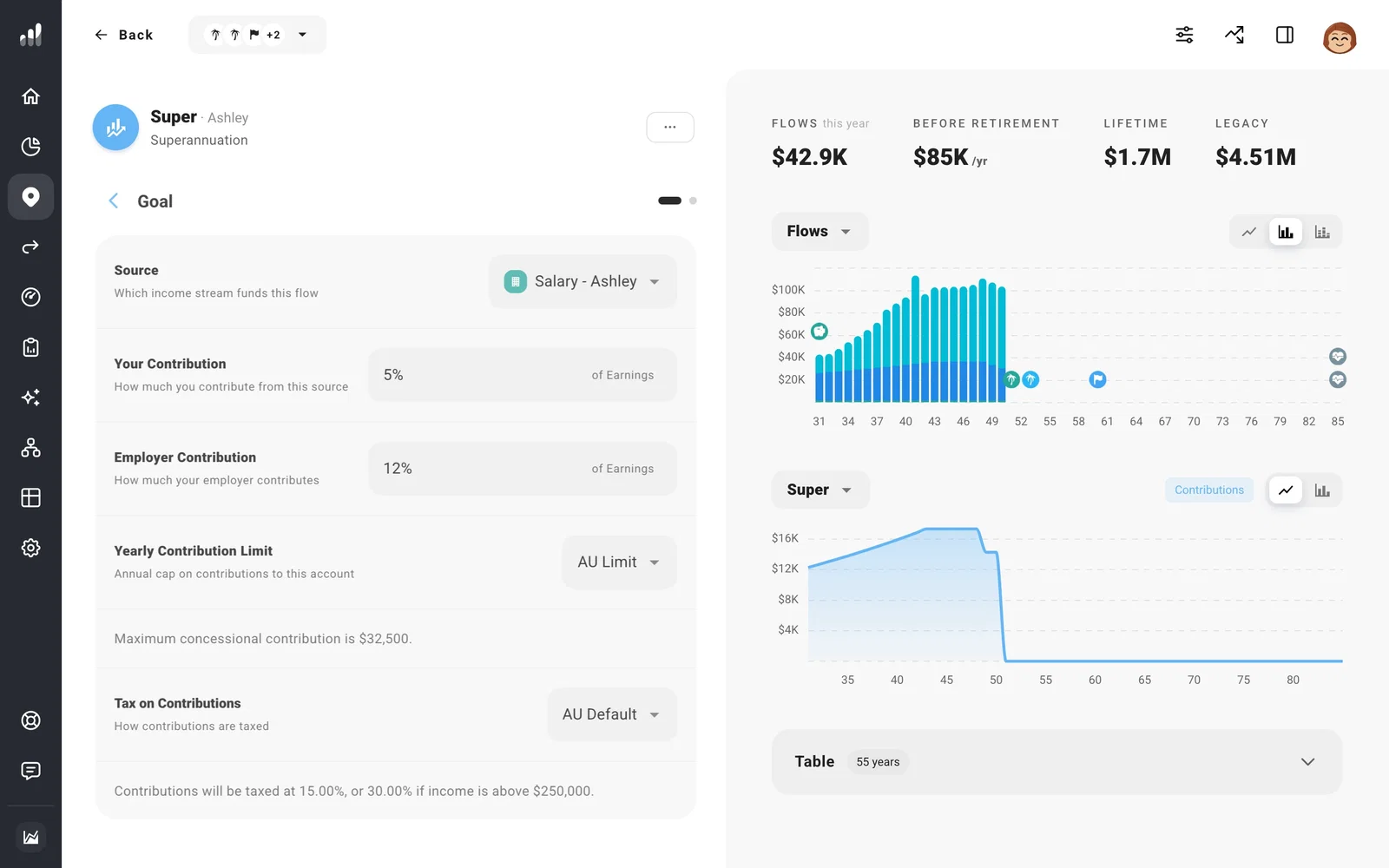
AU Limit applies each year’s contribution cap. To model unused concessional room or a non-concessional bring-forward arrangement, select Custom Limit under Yearly Contribution Limit and enter the room available. Set the Flow’s Time Range to the years that limit applies.
The amount reaching super can be lower than the contribution: Tax on Contributions applies before the money enters the account. Growth can also be reduced by Tax on Earnings, found in the account’s Plan tab. Check these settings before changing your return assumption to explain a lower balance.
Withdrawals become available at the modeled preservation age of 60. For a planned lump sum into another account, add a Transfer with the amount and timing you want.
Add the Age Pension
To include the Age Pension, add pension income under Plan > Income with your own entitlement estimate and start date.
Follow the Australian tax year
Set Year Alignment to AU tax year for July-to-June plan years. To change the mix of franked and unfranked dividends, open Settings > Dividends > Stock Dividend Composition; this affects the franking credits in the estimate.
For an Australian scenario that starts somewhere different from your current household, use custom starting conditions.
