Change an amount over time
Your salary might grow quickly early in your career, then level off. Healthcare could rise faster than inflation, while travel spending falls later in retirement. Change Over Time lets you put those patterns in your plan.
Open the income, expense, or property under Plan, then select Change Over Time.
Use one rate for a steady change
Choose Increase or Decrease and enter the yearly rate. For property values, those choices are Appreciate and Depreciate. You can set a maximum or minimum if the amount should level off.
To keep the same purchasing power, choose Match Inflation. Match Inflation +X% adds growth above inflation; Match Inflation -X% grows more slowly. None keeps the number fixed, so its purchasing power falls as prices rise.
A limit can be in Today’s Currency or Actual Currency. Today’s Currency rises with inflation; Actual Currency stays the same number. More about currency choices.
Change the pattern at different points in life
Choose Advanced when one rate won’t cover the whole period. Add points for the years when the amount or growth rate changes.
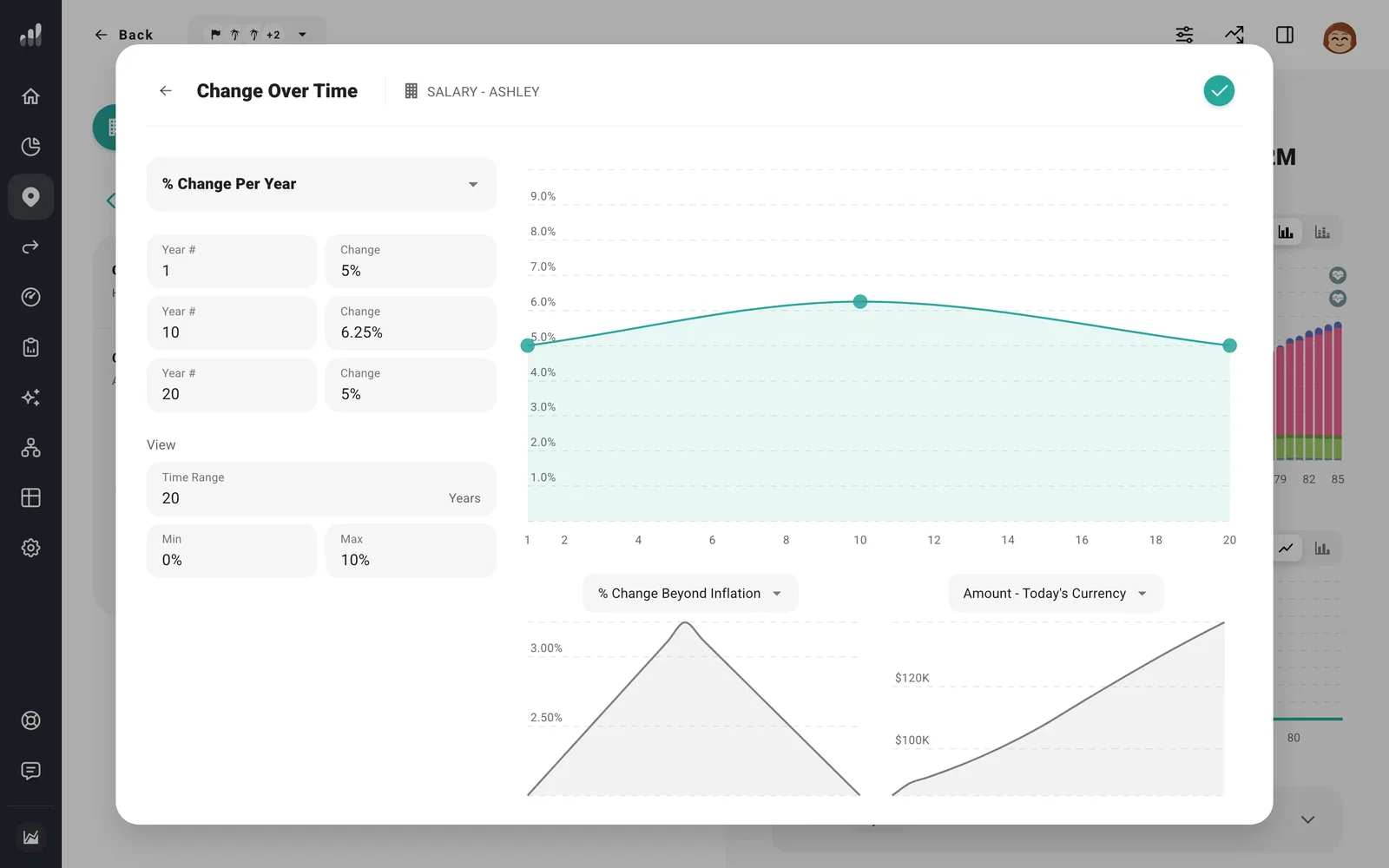
For a salary that levels off, use higher growth early and lower growth later. For spending that drops in retirement, switch the editor to amounts and enter the spending levels you want over time. The line changes gradually between your points, so add points close together for a quicker change.
You can enter yearly percentages, growth beyond inflation, or amounts in today’s or actual currency. Choose the type before entering points so the values mean what you intend.
Know where Year # starts
Year # normally counts from when the income, expense, or property begins. For tuition starting years from now, Year 1 is when tuition starts, not the first year of your plan.
If you choose Grow from Today for a future amount, its change rule begins now instead. Use this when the salary or cost should grow before it starts in the plan, as well as afterward.
Next: Choose Today’s Currency, Actual Currency, or Grow from Today
