Build a cash reserve or emergency fund
An emergency fund gives you cash to fall back on when income drops or an unexpected bill comes along. Set a target in your plan to see how long it takes to build, and how it holds up when you need it.
Build your reserve
Go to Plan > Flows > Add to Fund with Income and choose your cash account, or New account to add one.
In Goal, choose Build Up to Target Balance and enter your target. A common guideline is three to six months of expenses. Choose Maximize Contribution to fill it as quickly as the available money allows, or Specific Amount to build it with regular contributions. Set Time Range if you want to start or stop at a particular date or milestone, then add the Flow.
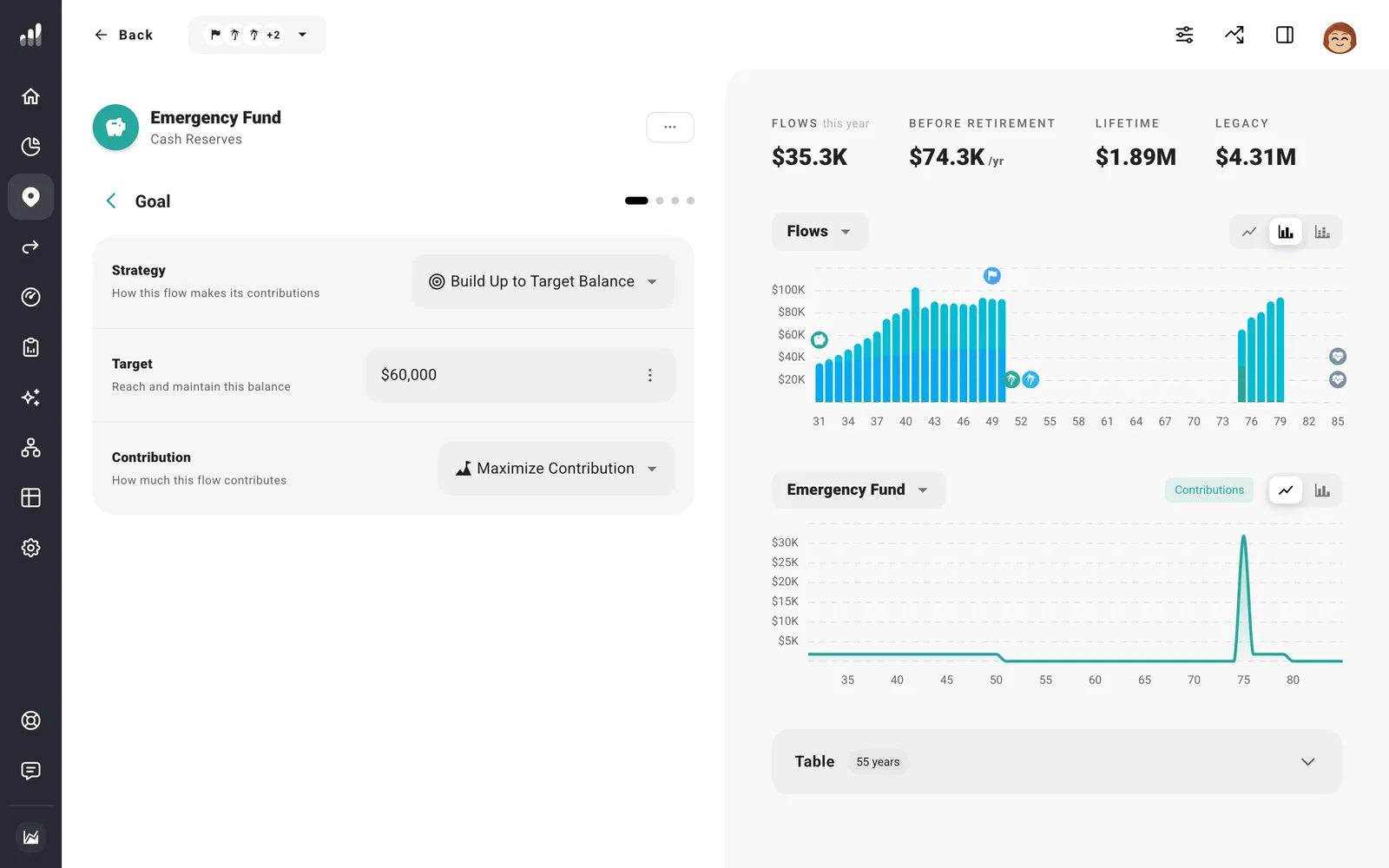
While active, the Flow uses available money to top the account back up when it falls below your target. Within Fund with Income, put it above any investment Flow that should wait until the reserve is full.
Can this money cover a bad year?
Open the Flow’s Mechanics > Spending settings. Choose Allow Drawdown to use the reserve when income falls short, and set the percentage of your target you want to keep untouched. Choose Avoid Drawdown to hold the reserve back as a last resort.
You can also let cash above the target help fund other goals. On Net Worth, open the account, select Plan > Withdrawals, and turn on Fund Other Flows.
