Model a rental property
Own a rental, or thinking about buying one? Add it to your plan to see the rent it brings in, what it costs to own, and what it could be worth when you sell.
For a rental you already own, start on Net Worth > Real Assets with the original purchase price, current value, and remaining loan. Then open it under Plan > Real Assets to plan the years ahead.
For a future purchase, select Add to Future Purchases > Real Estate > Rental Property under Plan > Real Assets. Enter when you expect to buy it, the price, and how you’ll pay. More about property purchases.
Add the rent and costs
If you rent out the whole place, set it to Other Property under Usage and turn on Generate rental income. In Rental Income, enter the yearly rent, either as an amount or a percentage of the property’s value. Add property management costs if someone manages it for you.
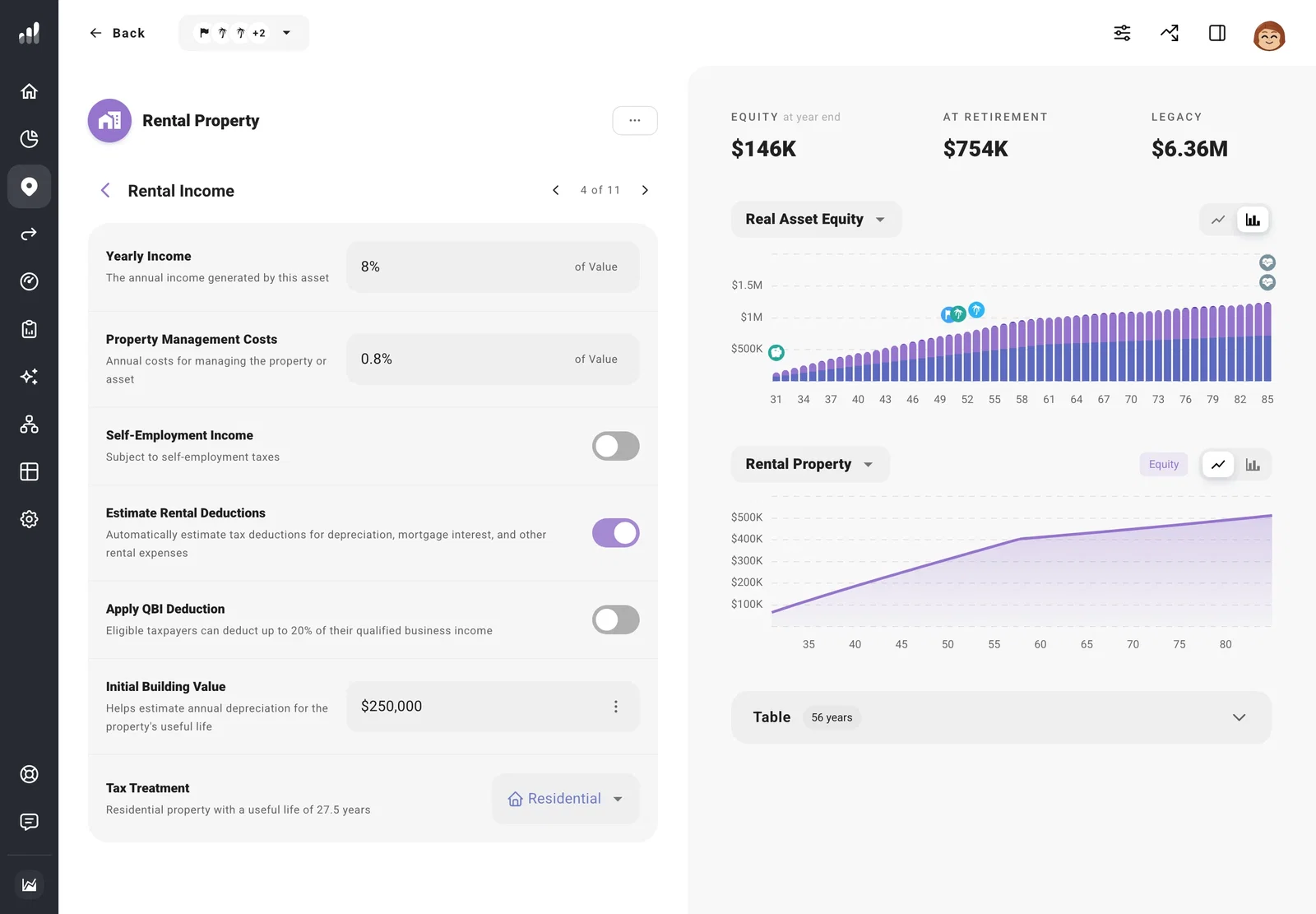
Renting out part of your own home? Keep it as Primary Residence and turn on Generate rental income. With rental deductions enabled, set Rental Use Percentage to the share you rent out.
Add property tax, insurance, maintenance, improvements, and homeowners association (HOA) costs under Taxes and Expenses. Keeping these on the property makes them easier to change together and avoids counting them again in your household expenses.
If you expect gaps between tenants, enter the yearly rent after allowing for that empty time. You can use Compare > What If to try a lower rent and see how much of the ownership costs you’d need to cover yourself.
Include depreciation and deductions
For a US rental, turn on Estimate Rental Deductions to include deductible costs and depreciation in your tax estimate. Enter Initial Building Value for the building, excluding land, to include depreciation.
If the rental qualifies for the qualified business income (QBI) deduction, turn on Apply QBI Deduction. For a rental where you provide substantial services, such as regular cleaning and linen changes for guests, turn on Self-Employment Income to include self-employment tax.
For a rental you owned before the plan starts, use a cost basis and building value that account for depreciation you’ve already taken. Future depreciation starts from the beginning of your plan.
Move back in or pay off the loan
If you’ve moved back into the property, change Usage > Property Type to Primary Residence, then turn off Generate rental income.
To pay off the loan while keeping the property, open Extra Payments and add the payment you expect.
Plan the sale
Set Change Over Time to reflect how you expect the property’s value to grow, then open Sale to choose when you’ll sell and where the proceeds go. The loan is paid off from the sale, and depreciation reduces the cost basis used to estimate the taxable gain.
Next: Plan a property sale
