Set account growth, dividends, and fees
Cash, a single company’s stock, and a fund with ongoing fees can grow very differently. Give each account its own rates and fees to reflect what you hold.
Accounts use your plan’s rates by default. To change one, select it on Net Worth, then open Plan > Growth or Plan > Yield.
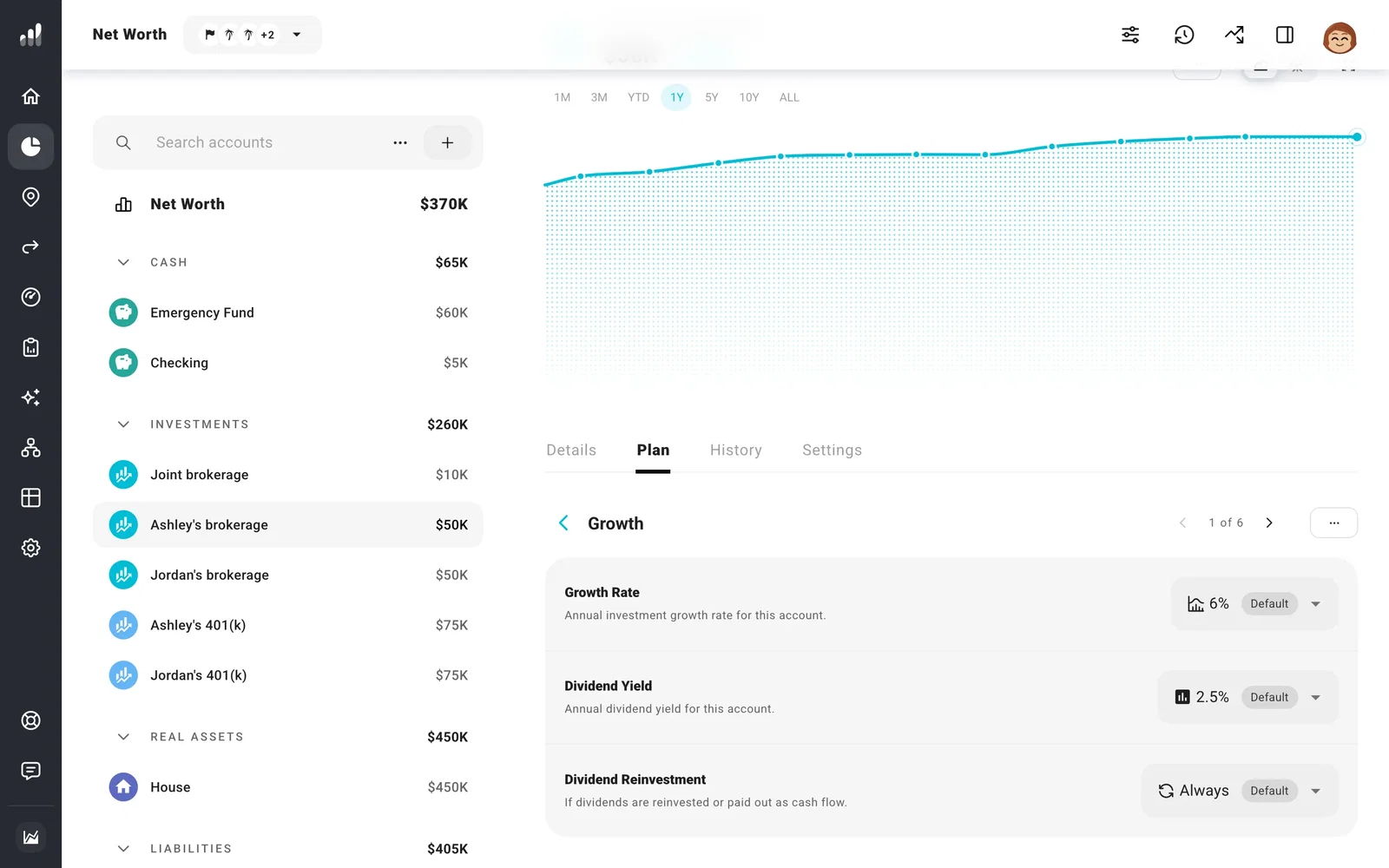
Growth and dividends
Enter a custom rate to change this account alone. When using a custom rate, you can also choose whether Chance of Success varies it with the market or keeps it fixed. Keeping a cash rate fixed can make sense for a guaranteed return; an investment account can still follow the ups and downs of the trials.
Growth is the change in price, and dividend yield is separate. Use Dividend Reinvestment to keep dividends in the account or make them available to spend.
Under Bonds, choose Plan to follow your plan’s mix, or Custom to set this account’s bond percentage over time. Set the percentage to zero for an all-stock account. The bond portion uses your plan’s bond growth and yield rates, even when the account has a custom stock growth rate. Dividends and bonds covers how the overall mix is divided among accounts.
Include the fees you pay
A small yearly fee adds up because the money spent on fees stops earning returns too. With otherwise identical growth and no deposits or withdrawals, a 1% balance fee each year leaves about 26% less after 30 years than the same account with no fee.
Open Fees and set Yearly Fee to match how you’re charged:
- A percentage of the balance, such as an ongoing account or management fee.
- A percentage of positive earnings, for a fee charged only when the account gains.
- A flat amount, with the choice to keep the same amount or increase it with inflation.
Fees are deducted from the account each year. Use Compare > What If to see how a different fee changes the balance over your own timeline.
