Choose what your plan metrics include
If Spending doesn’t match what you expected from your expenses, check its definition before changing the plan. You can choose which taxes and debt payments count toward it, and change how other headline metrics are calculated.
Open Settings > Metrics. The page separates Global Metrics, which apply to all your plans, from Plan Metrics, which belong only to the plan you have open.
Spending
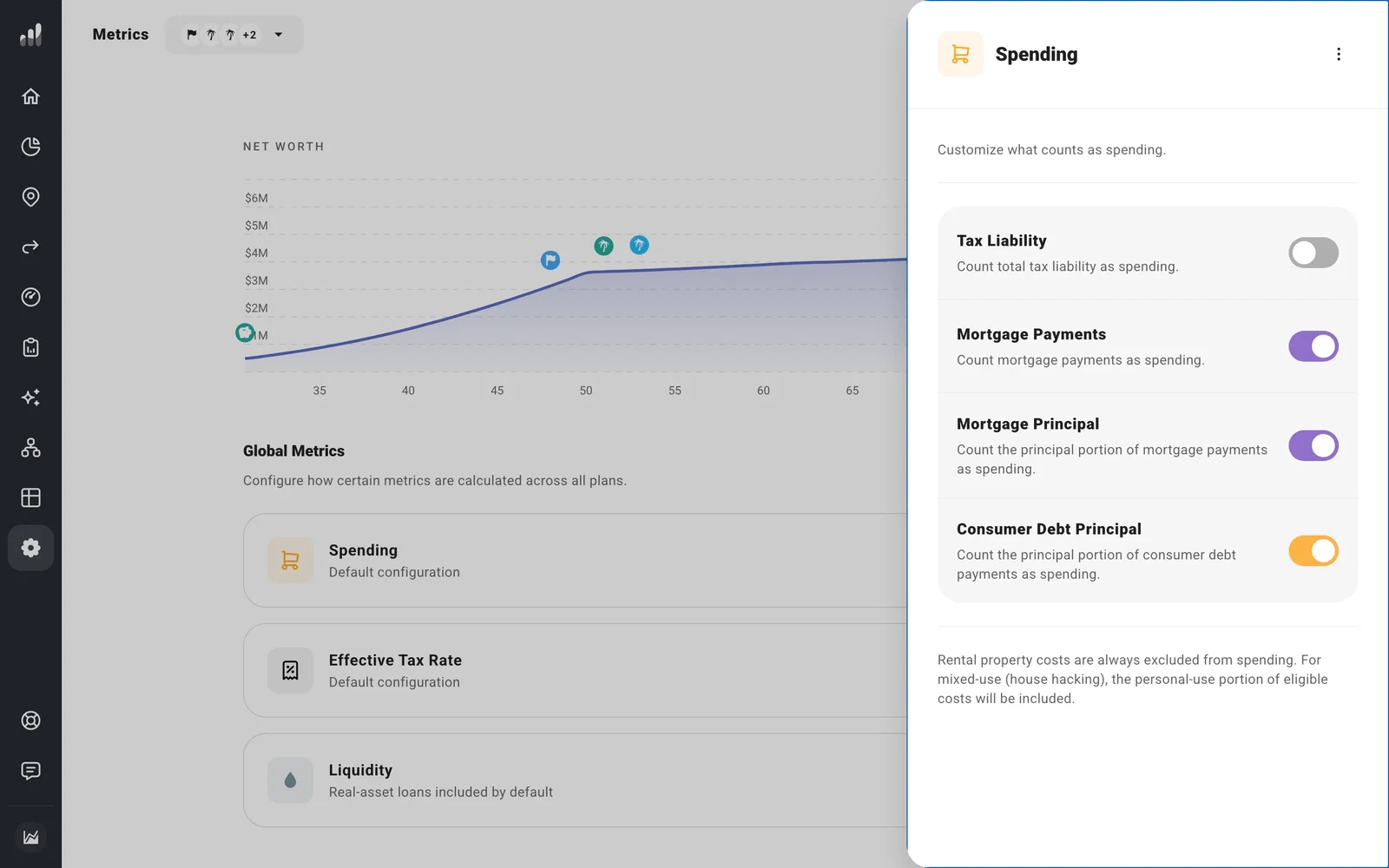
Open Spending to choose whether tax liability, mortgage payments, mortgage principal, and consumer debt principal count as spending. Keep Mortgage Payments on and turn Mortgage Principal off to count the interest without counting principal repayment. Turn Mortgage Payments off to leave the whole mortgage payment out.
Tax Liability leaves out taxes paid inside investment accounts and taxes already listed as separate costs, so it can be lower than Taxes.
Rental property costs are excluded from Spending. For a mixed-use property, the personal-use share of eligible costs is included.
Effective Tax Rate
Open Effective Tax Rate to choose which income and taxes go into the rate shown in Tax Analytics and elsewhere. This changes the rate you see, not the amount of tax your plan pays. Taxes paid inside investment accounts appear in Taxes but are excluded from Effective Tax Rate. If a rate surprises you, check its definition here before changing tax assumptions.
Liquidity
Open Liquidity to choose whether loans against property and other real assets are subtracted when ProjectionLab calculates Liquid Net Worth. Other debts are included by default; you can change an individual debt in its settings.
Net Legacy
Net Legacy is under Plan Metrics because its assumptions can differ between plans. To set estate taxes, costs, and charitable giving, see Set your estate assumptions and heirs.
These choices can affect more than a chart: Financial Independence can use Spending, and Optimize can target a lower Effective Tax Rate. After changing a definition, check the result you were working with.
