Add an account
Have your latest bank, investment, and retirement statements handy. Add the accounts you already have on Net Worth, then plan future contributions separately.
One total or separate accounts?
You can combine similar accounts into one total. Keep them separate when their owners, tax rules, growth rates, fees, or withdrawal dates differ. A pre-tax IRA and a Roth IRA need their own entries so your plan can apply the right taxes and withdrawal rules.
If you entered a combined balance during setup, reduce that balance as you add individual accounts so the same money is only counted once.
- Go to Net Worth and select the + beside Search accounts.
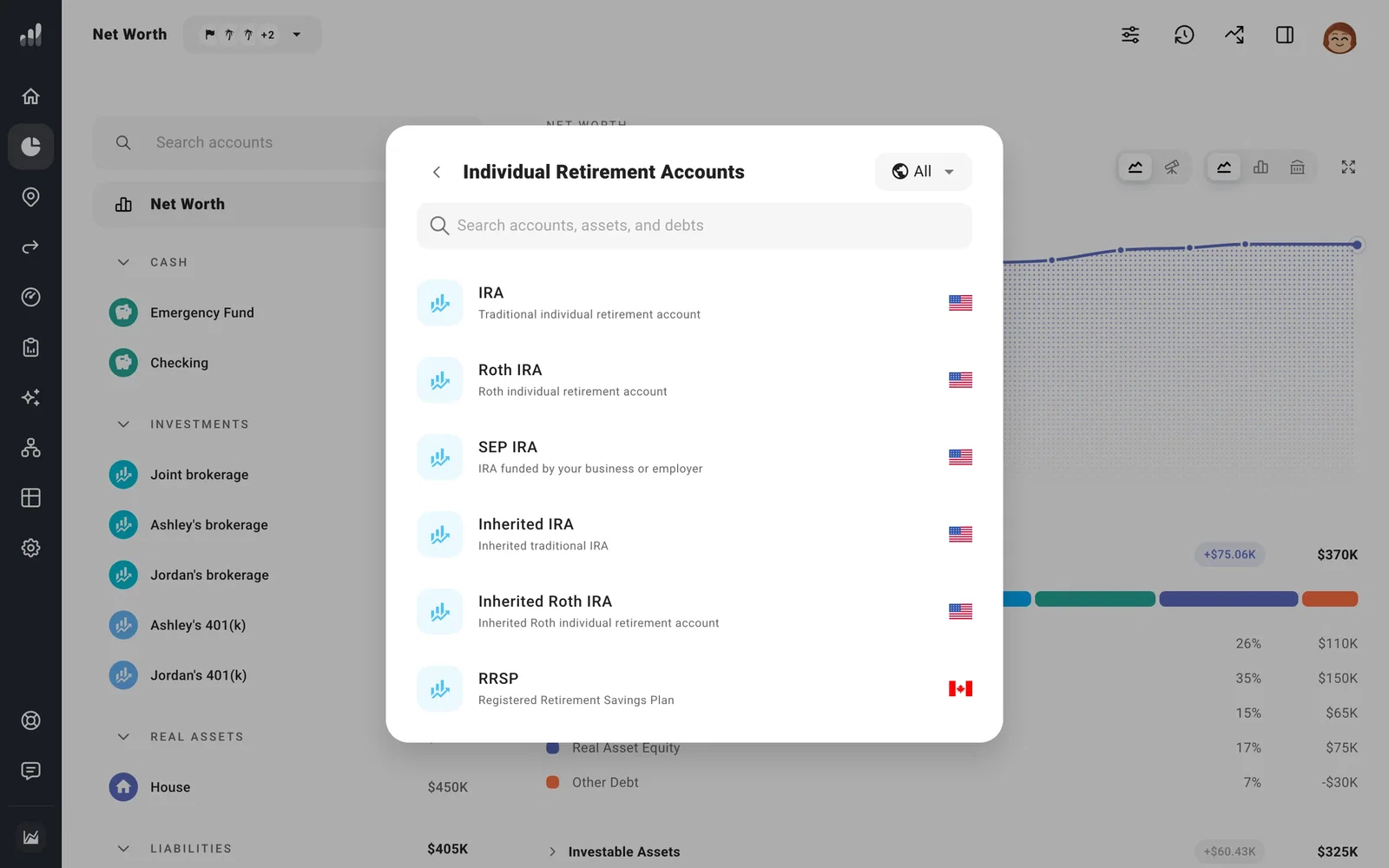
- Choose the account type that matches yours. IRAs are under Individual Retirement Accounts; 401(k)s are under Employer Retirement Accounts. Use the country filter to narrow the list.
- Enter the name, owner, and current balance, then select Add.
Include what you’ve paid in
ProjectionLab uses half the balance as its initial estimate for Cost Basis or Past Contributions. Enter the amount from your records in Details. Cost basis affects how much of a future withdrawal counts as a taxable gain. Regular Roth IRA contributions can be withdrawn at any age without a penalty, so your plan needs to know that amount too.
You can set different growth rates and fees for each account. If you picked the wrong type, change it rather than adding the account again.
For a home or loan you already have, add it under Real Assets or Debts.
