Plan charitable giving during your lifetime
Add charitable gifts you expect to make during your lifetime as expenses, so their timing and tax treatment are included in your plan. Giving from your estate at the end of the plan is a separate setting under Estate.
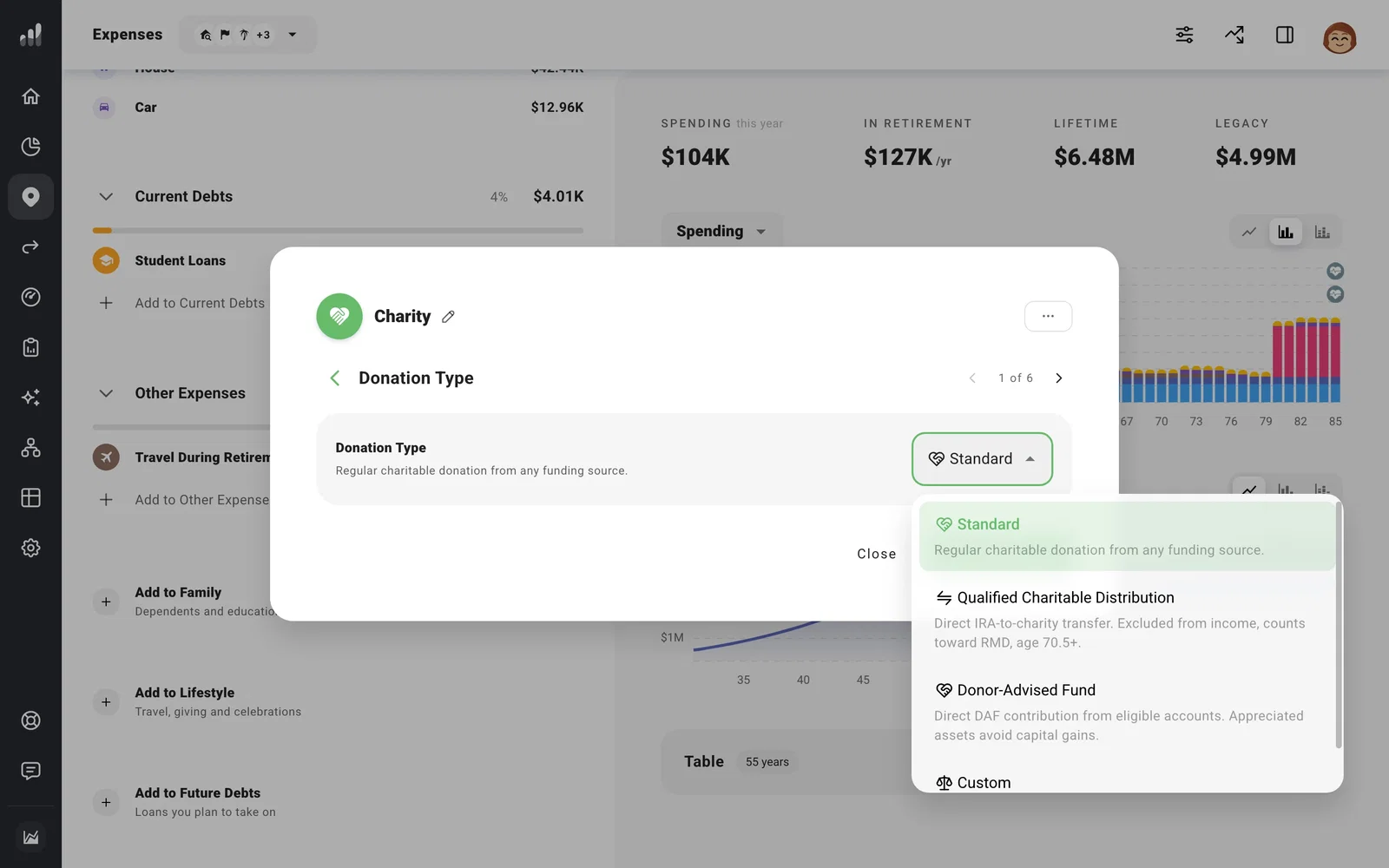
Go to Plan > Expenses and select Add to Lifestyle > Charity. Enter the amount and leave the frequency as Once for a one-time gift, or change it for regular giving. Set Timing or Time Range, then check Donation Type before adding it.
- Standard is for an ordinary donation. It can use cash flow or a chosen account.
- Qualified Charitable Distribution (QCD) models a direct gift from an eligible IRA at age 70½ or later. In a US plan, ProjectionLab applies the annual limit and counts an eligible QCD toward required minimum distributions.
- Donor-Advised Fund models a direct contribution from an eligible account. Appreciated assets can avoid a modeled capital-gains realization. This choice, like a QCD, appears only in US plans.
- Custom gives you manual control over tax treatment and deductibility.
With a QCD or donor-advised fund contribution, open Pay From to check which eligible account will fund the gift. If the required account or balance is unavailable, ProjectionLab may reduce or skip the donation and show a warning. For a standard gift, Automatic leaves funding to your usual cash flow.
For giving from what remains at the end of your plan, see Set your estate assumptions and heirs. Its Charitable Giving percentage does not create a lifetime expense.
