Plan for a separation
A separation can change your housing costs, savings, income, and taxes at once. Put it in a copy of your plan so you can work through those changes while keeping your current plan.
In Household, open your partner’s menu and select Plan a separation. This adds a Separation milestone, initially set for next January. Change the date on your partner’s page or under Plan > Milestones.
Divide joint finances
On the milestone, set Your Share to the percentage of joint accounts, property, and related debts you expect to keep. It starts at half. Add any one-time legal, mediation, or moving costs under Separation Costs.
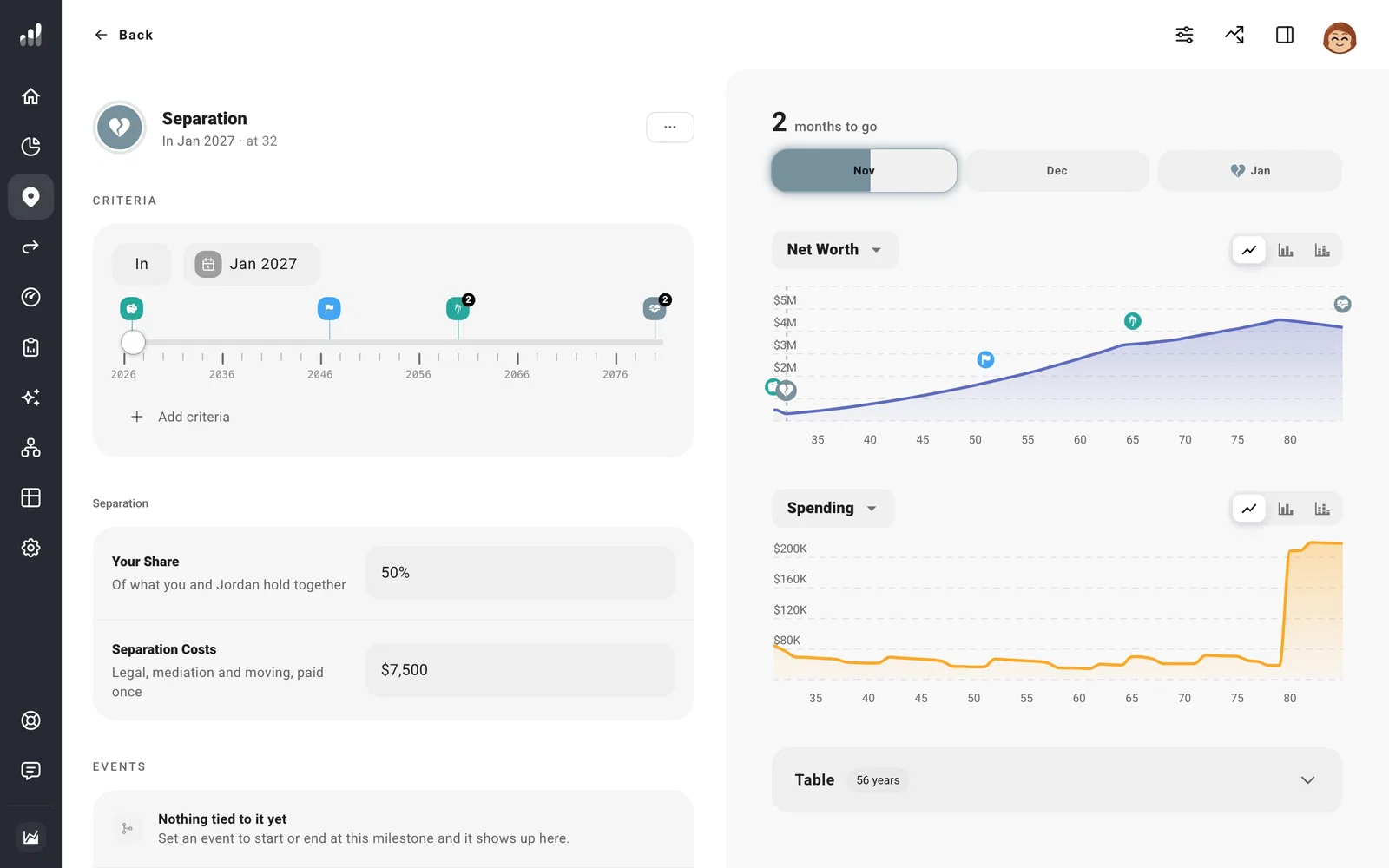
Your partner’s own accounts, property, and debts leave your forecast, along with their income and costs. Their records remain on Net Worth. Joint assets and debts are divided using your share.
Set your spending afterward
Shared income and expenses continue in full as yours. Open Plan > Income and Plan > Expenses to change what you expect after separation. Rent, household spending, and insurance may need different amounts; add support payments as income or an expense, depending on who pays.
Time these changes to Separation so they move together if you try another date. Milestones can also connect a home sale or move to the same event.
Your forecast changes household and filing status from the start of the year in your plan that includes the separation. Open Tax Analytics for that year to see the tax change, and Cash Flow to see how the remaining income covers spending.
If you want to plan for one person from the beginning, use Plan without partner instead.
