Choose when you can use each account
Some of your savings is for later, like a 401(k) before 59½ or money you’re setting aside for a future goal. Tell your plan when each account becomes available, and it will spend from the right accounts in the right years.
Decide when you can use it
Two settings work together. Liquid tells you how much of your net worth is available now. Withdrawals is when your plan can spend from the account.
Select the account on Net Worth, then open Settings > Liquid. Choose whether it’s liquid now, stays illiquid, or becomes liquid at a date. For eligible retirement accounts, After Qualified Age follows the account’s qualified withdrawal age.
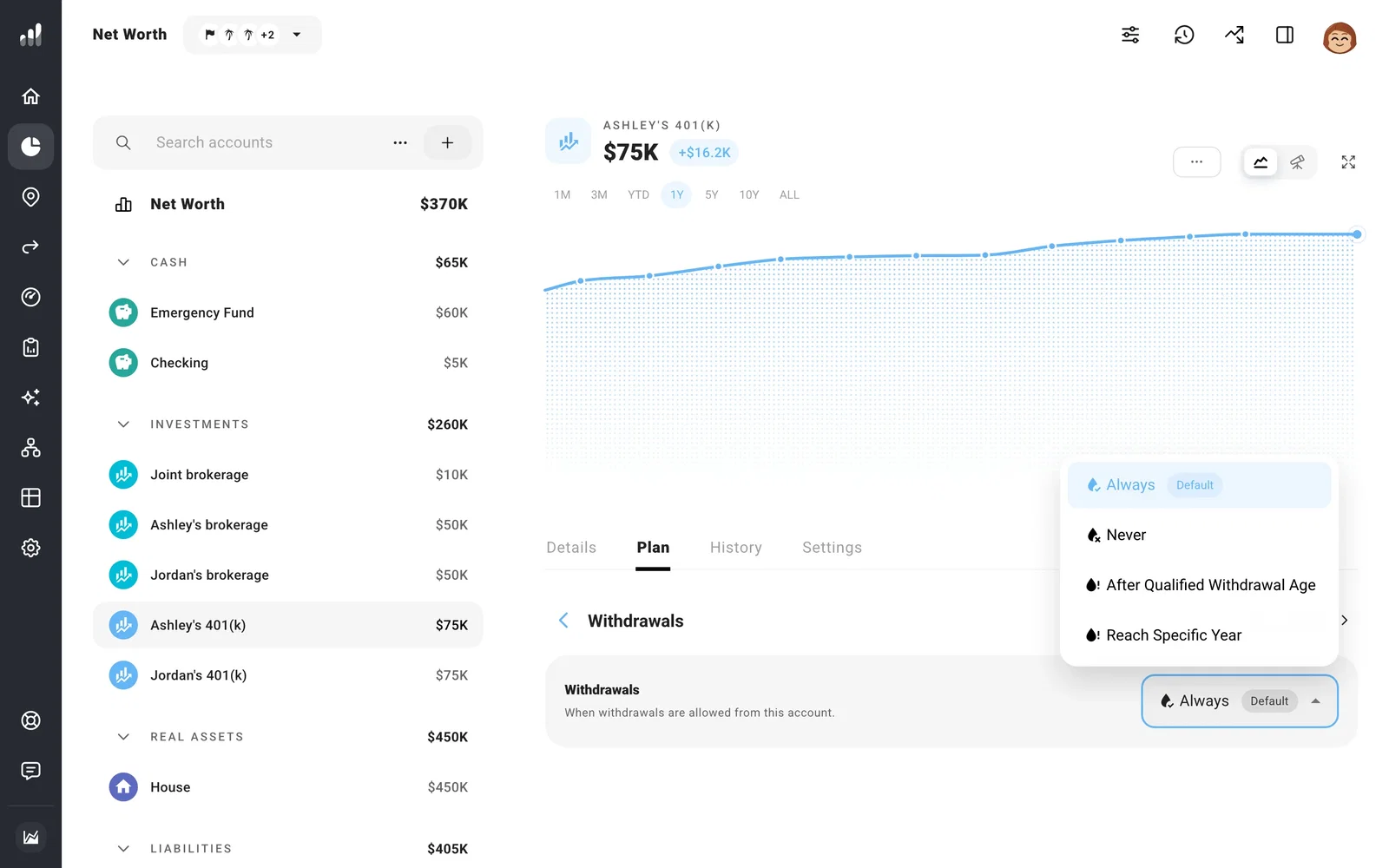
Open Plan > Withdrawals and choose when your plan can spend from the account:
- Always: throughout the plan.
- When Liquid: once the account becomes liquid, following its Liquid setting.
- After Qualified Withdrawal Age: once the owner reaches the account’s qualified age, so your plan avoids early withdrawal penalties.
- Reach Specific Year: from a year you choose.
- Never: other accounts cover ordinary spending. Any required distributions still come from it, and a Transfer you set up still moves money out of it.
Plan for early access
If you want to use retirement savings early, set Qualified Age and the early withdrawal penalty in Settings to match your account. Your plan counts age in whole years, so US IRA withdrawals are penalty-free from 60 by default, the first full year after 59½. Change it if your account’s rules differ. If you make it available earlier, your plan includes any tax or penalty due on those withdrawals.
Planning 72(t) withdrawals? Set up substantially equal periodic payments in the account’s SEPP settings.
To make an illiquid account available in one plan while leaving other plans alone, set Liquid to No, then use Becomes Liquid on its Plan tab.
Tip
If the forecast runs short while Net Worth still shows money, look at when each account becomes available. A balance saved for later can explain the gap.
Choose which available account comes first
Once accounts are available, Drawdown Order decides which one pays first.
