Why is tax withheld different from tax owed?
Tax withheld from your pay, withdrawals, or Roth conversions goes toward your yearly tax bill. When you file, you get a refund if you paid too much, or pay the difference if you paid too little.
Your plan works the same way. The difference shows up the following year as a Tax Refund or a Tax Return Payment, which is why the tax paid in Cash Flow can differ from the tax owed in Tax Analytics.
Find the difference in your plan
Open the year on Plan > Overview, then open Show metrics and find Tax Balance. It shows this year’s estimated tax balance after withholding, to be settled next year. If the metric is hidden, open Display Options > Metrics, turn on Show Metrics, and include it under Which Metrics.
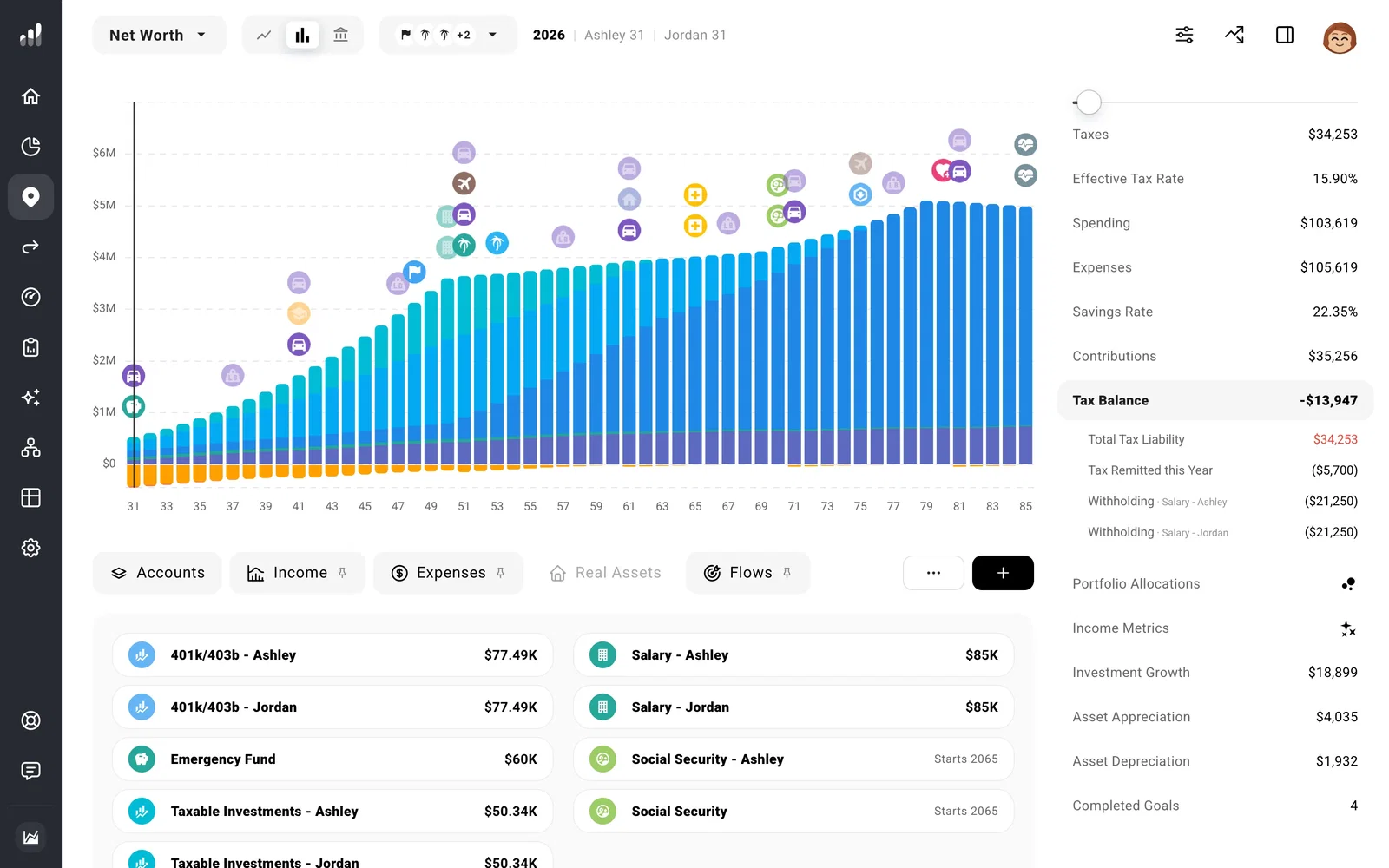
For the total tax estimate, open Tax Analytics. For money actually paid or refunded, look at Cash Flow.
Set withholding to match your pay and withdrawals
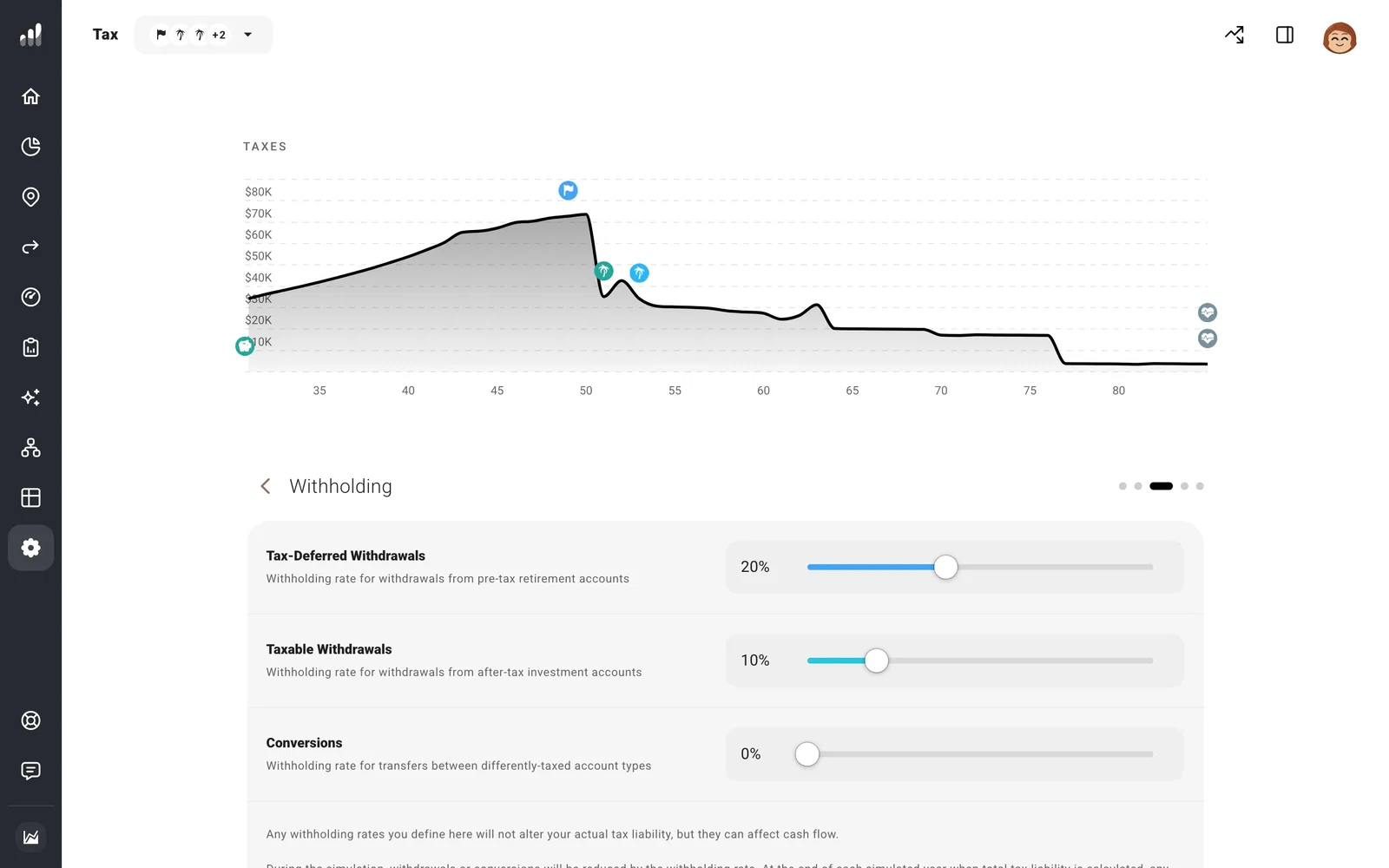
Open Settings > Tax > Withholding. Set the rates for Tax-Deferred Withdrawals, Taxable Withdrawals, and Conversions to match how tax leaves your accounts.
For early Roth conversions where withholding would trigger a penalty, ProjectionLab converts the full amount and settles the tax through the following year’s tax payment instead.
Income has its own withholding choices. Open a salary, pension, or other income under Plan > Income, then Tax Handling, to use an automatic estimate, a fixed rate, or no withholding where supported.
Extra withholding becomes a refund in the next year. Withholding that falls short becomes a payment then. A conversion with little withholding can leave a larger bill to cover the following year.
If something looks off
Why didn’t changing withholding change my tax bill?
Withholding changes when you pay tax. Your final estimated tax still depends on that year’s income and deductions.
How do I include tax from before my plan began?
Add a payment you still owe as a one-time expense in the first year. For a tax-free refund, add one-time Custom Income and turn on Tax-Exempt under Tax Handling.
