Plan in the Netherlands
ProjectionLab offers a growing list of international tax presets, account types, and display currencies.
For the Netherlands, that includes income tax and a box 3 wealth tax estimate based on deemed returns, with your primary residence and its mortgage kept outside box 3.
Choose Netherlands under Account Settings > Location. Your plan’s Settings > Tax > Tax Estimation shows the location behind its tax forecast.
Check your accounts
Add your savings, taxable investments, property, and debts on Net Worth.
Deemed returns are the returns assigned to each type of holding for the box 3 estimate. The estimate does not use your actual investment returns. In Tax Analytics, select Taxes and inspect the Wealth Tax line to see how much the plan deducts.
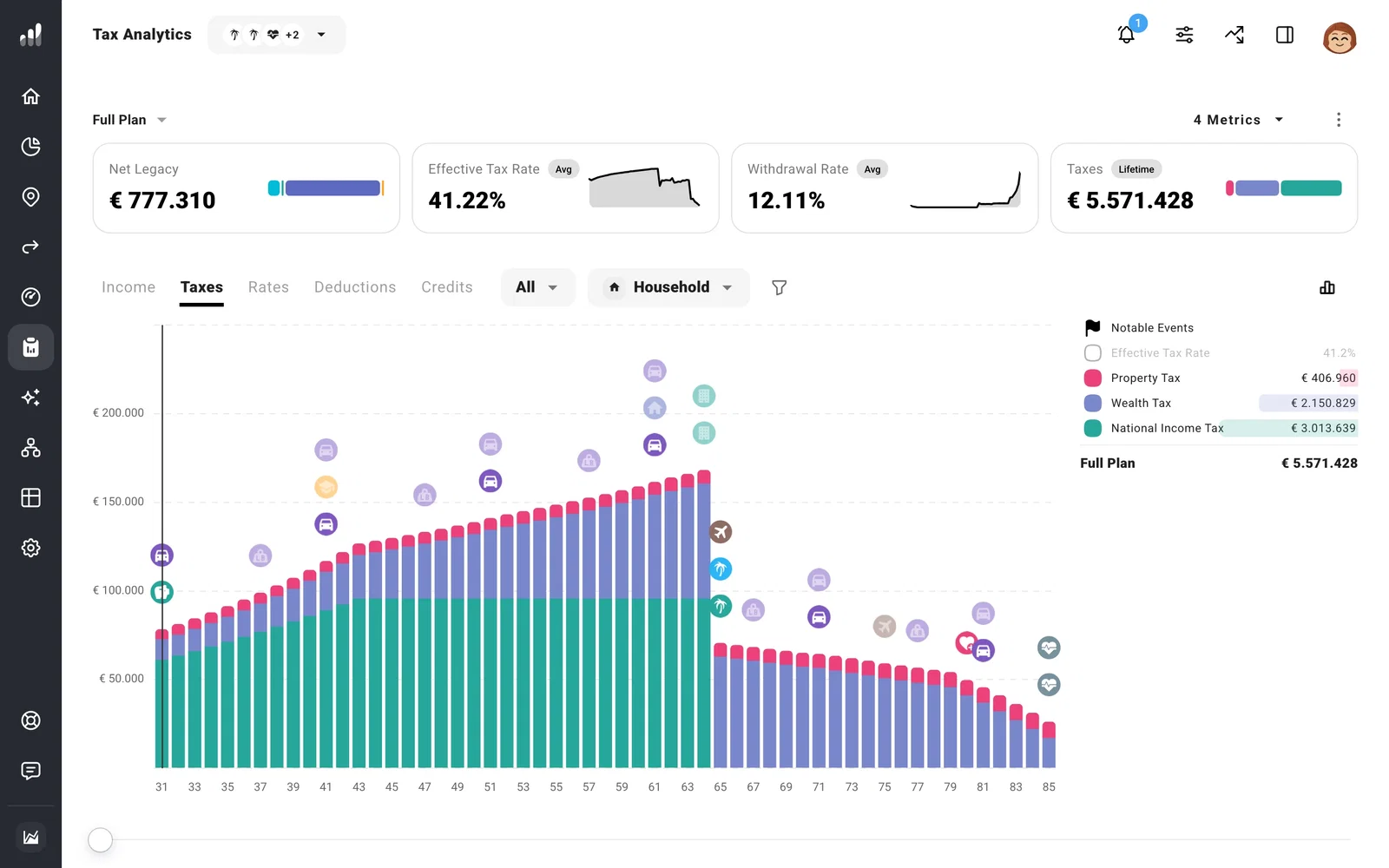
Estimate for Me uses the Dutch box 3 calculation automatically. Switching to Custom Configuration replaces it with a general wealth tax calculation, so use it only when you intend to build a different tax estimate.
Add AOW and pension income
To include AOW (the Dutch state pension) or another pension, add Pension Income under Plan > Income with your own estimate and start date. Add pension income covers the route.
