Plan in Spain
ProjectionLab offers a growing list of international tax presets, account types, and display currencies.
For Spain, that includes income tax and social contributions, plus an annual wealth tax with the primary-residence exemption and the combined income and wealth tax cap.
Choose Spain under Account Settings > Location. The tax estimate uses representative regional rules, so review it for your region. Open Settings > Tax > Tax Estimation to confirm Spain is selected, then review your tax settings.
Add accounts and income
Add your savings, investments, property, and debts on Net Worth using the general account types. Add wages as Salary and business income as Side Hustle under Plan > Income. The Spanish estimate applies different social contributions to these income types. If you expect a public pension, add it as Pension Income with your own amount and start date. See Add pension income for the steps.
Check the wealth tax estimate
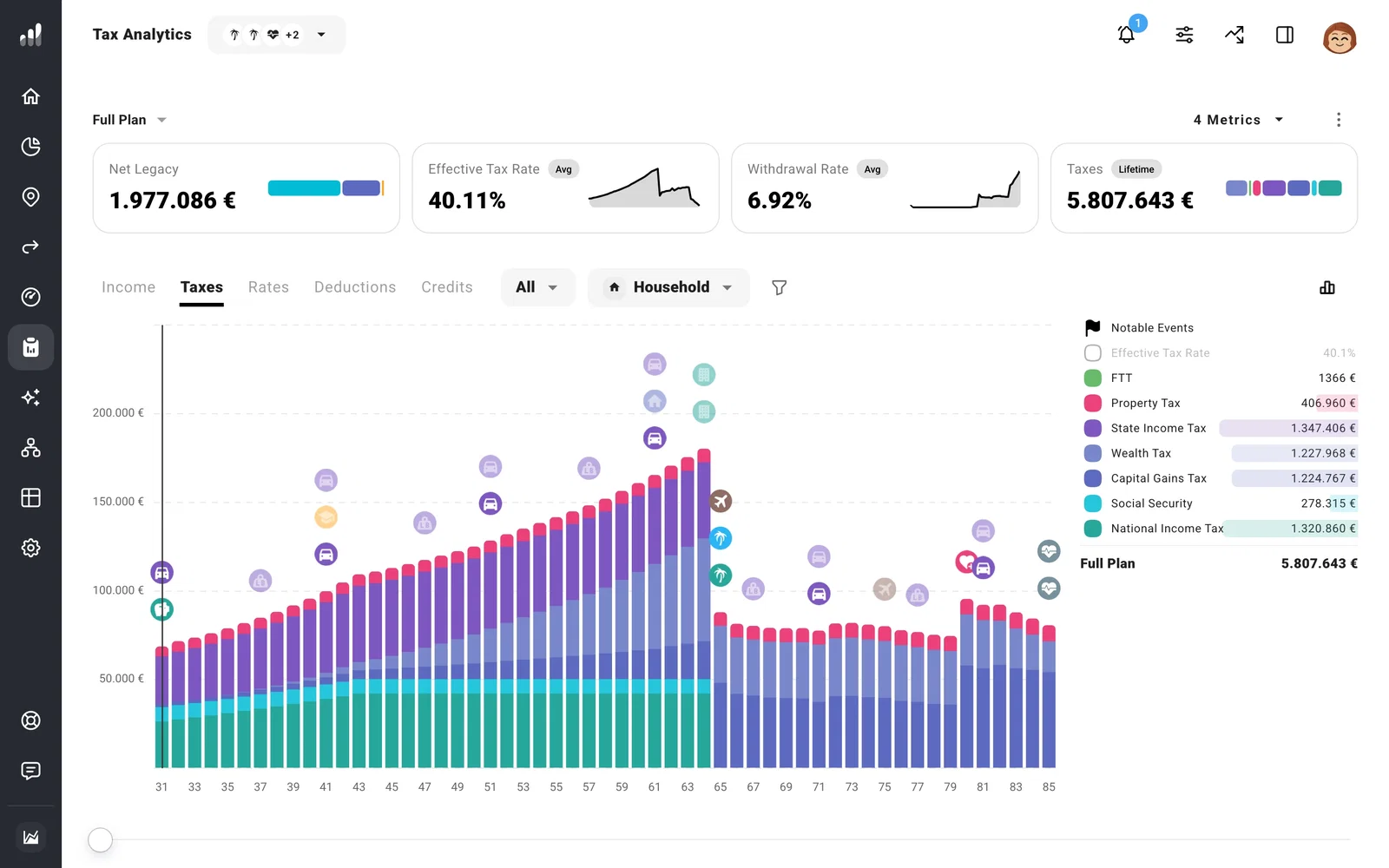
In Tax Analytics, select Taxes to see the Wealth Tax line across your plan.
If you need a different regional calculation, build a custom tax model. This replaces the automatic Spanish rules, so enter the other taxes you want included too.
