Plan for ACA Marketplace coverage
If you leave work before Medicare starts, Marketplace insurance can cover the years in between. Add it to your plan to see the full premium, the subsidy, and what you’ll pay.
Add the coverage you expect
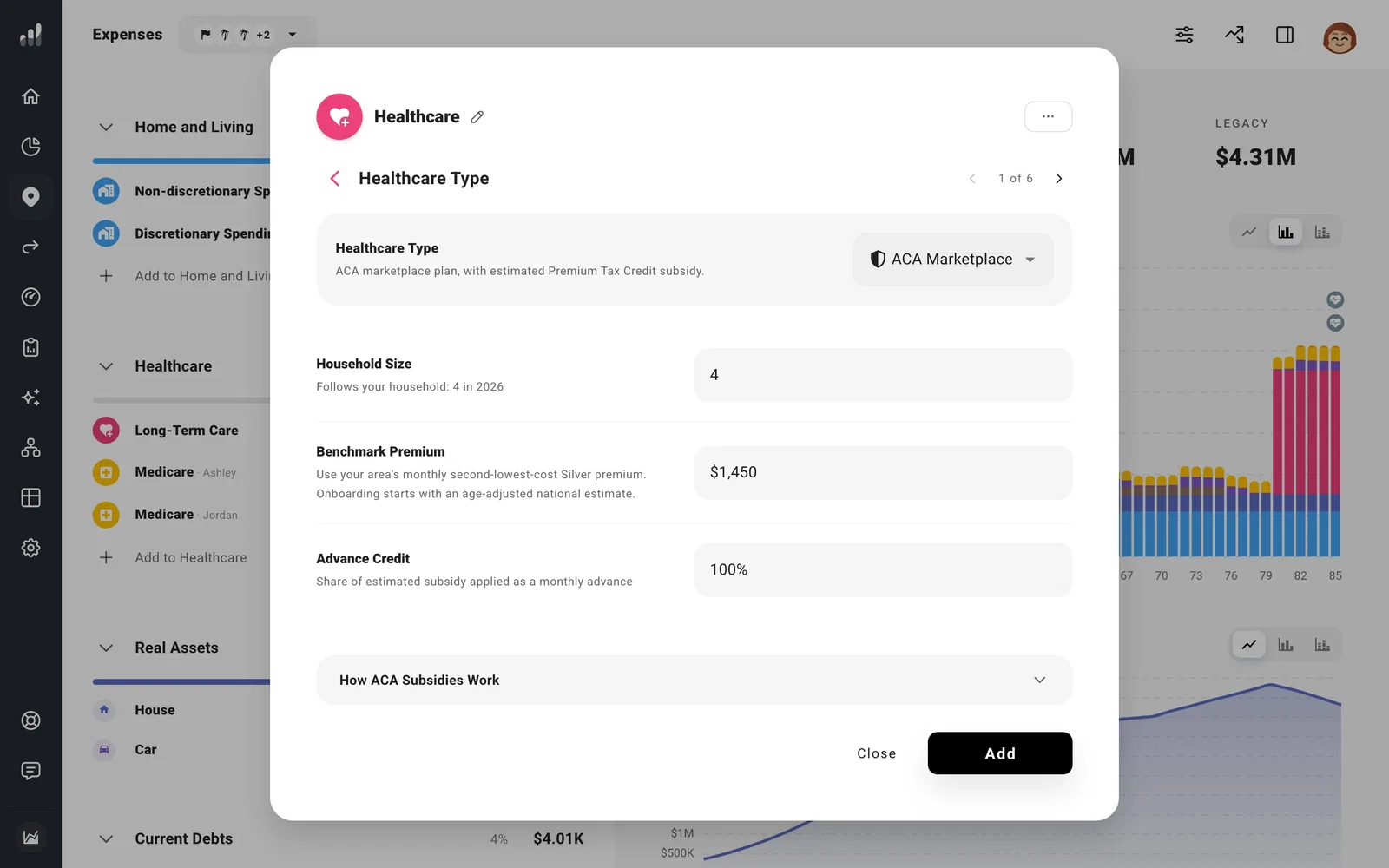
Go to Plan > Expenses > Add to Healthcare > Healthcare. Under Healthcare Type, choose ACA Marketplace (Affordable Care Act).
Enter the full premium before a subsidy, then set Time Range to the years you expect to use this coverage. A retirement milestone can start it when your job ends. End it when Medicare or another policy begins.
Use a local premium quote
Your plan needs two prices: the premium for the policy you expect to buy, and the benchmark used to estimate your subsidy. Under Benchmark Premium, enter the monthly price of the second-lowest-cost Silver plan for your household in your area. You can find it on HealthCare.gov or your state Marketplace.
Note
Onboarding starts with a general premium estimate. Replace the benchmark with a local quote before using the subsidy estimate to compare retirement dates or tax strategies.
Household Size follows your tax household as it changes: children count through age 18, or through 23 while they have an education expense. When a partner moves to Medicare, the people covered change even though your tax household doesn’t, so set up a separate coverage period for that change. Override Household Size only if this coverage uses a different tax household.
Choose when to receive the credit
The Premium Tax Credit depends on your household income, size, and coverage. A Roth conversion or capital gain can reduce it, while a lower-income year can increase it.
Use Advance Credit to choose how much of the estimated subsidy reduces your monthly premiums. At 100%, the estimated credit is paid during the year. At 0%, your plan pays the full premium and claims any eligible credit at tax time. A value in between splits it between the two.
At year end, ProjectionLab compares that advance with the credit based on your final income. Any difference settles with the following year’s tax payment or refund. See Why did my ACA subsidy change? if a conversion or other income change alters the result.
The premium and benchmark use the same currency and growth choices. For a quote you have today but coverage that starts later, choose when its growth begins. Use Change Over Time to adjust the premium’s growth as your plan continues.
Next: Plan for Medicare costs
