Plan a move to a new state, province, or country
A move can change your taxes and more than one part of your plan. Use a Move milestone when you want the new location, housing, income, and other changes to begin together.
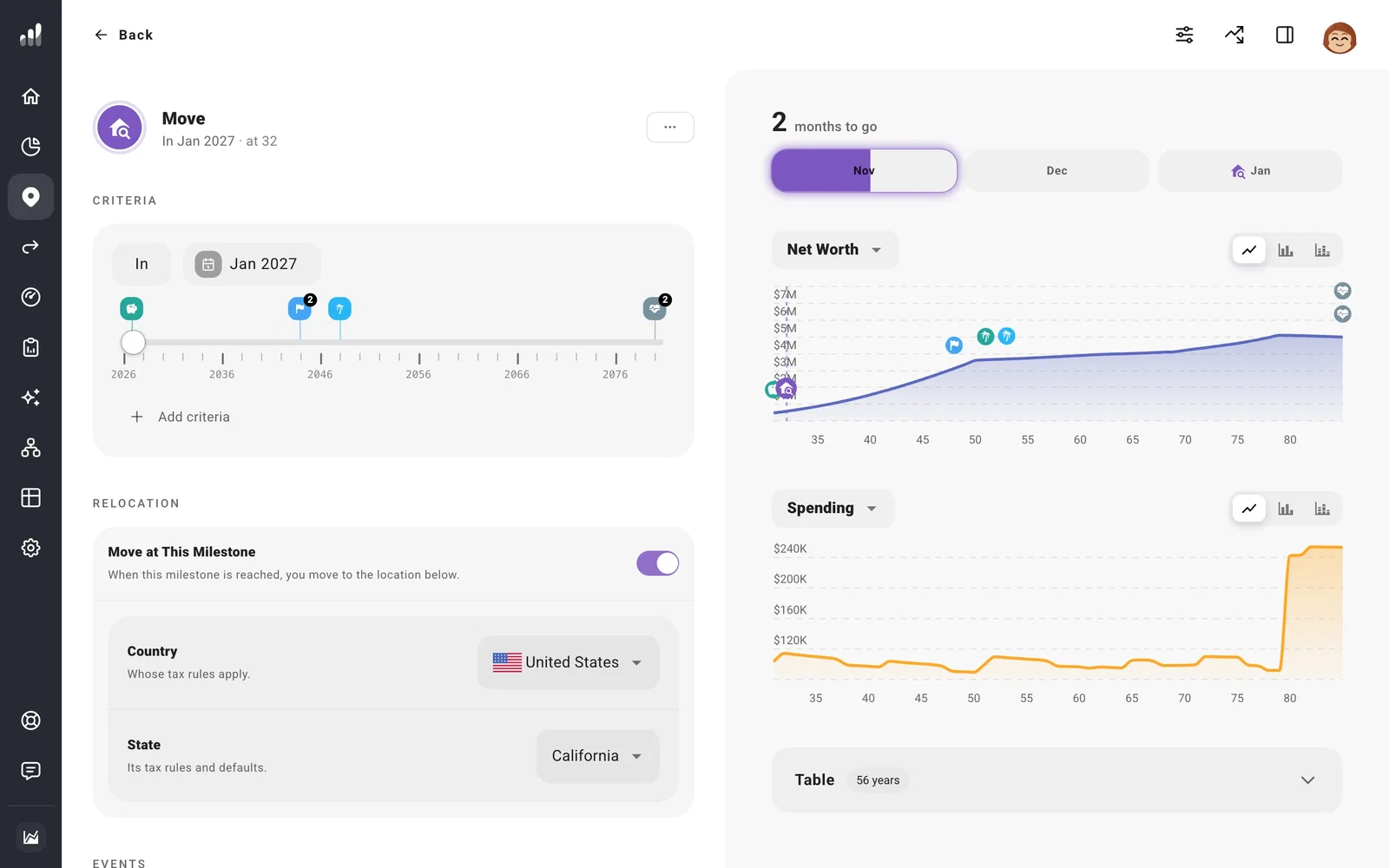
Open Plan > Milestones, select Add milestone > Move, and set when the move might happen. A date, age, another milestone, or a financial condition can time it. Under Relocation, choose the destination country and, where available, state or province.
From the year of the move, ProjectionLab uses the new location for the plan’s tax estimates. The plan’s currency and existing accounts, housing, income, and expenses stay as entered. Review those items so they reflect the move.
Connect the rest of the move
Open the Move milestone and use Tie something to it to start or end related income, expenses, or a real asset. You can also choose Move as the timing when you edit those items under Plan. For example, the sale of an existing home and a new housing cost can use the same milestone.
Note
Check Tax Analytics after changing locations. Set your tax assumptions explains the plan’s starting location and tax settings. If you plan to buy a new home, check its property-tax and insurance defaults too; they come from your plan’s starting location.
