Plan recurring purchases and replacements
If you expect to replace a car or another asset every few years, you can model the whole cycle from one planned purchase. Go to Plan > Real Assets > Future Purchases and add the first asset you expect to buy.
Set its Purchase Date, price, financing, and Sale timing first. A sale date gives ProjectionLab the end of one cycle and a starting point for the next.
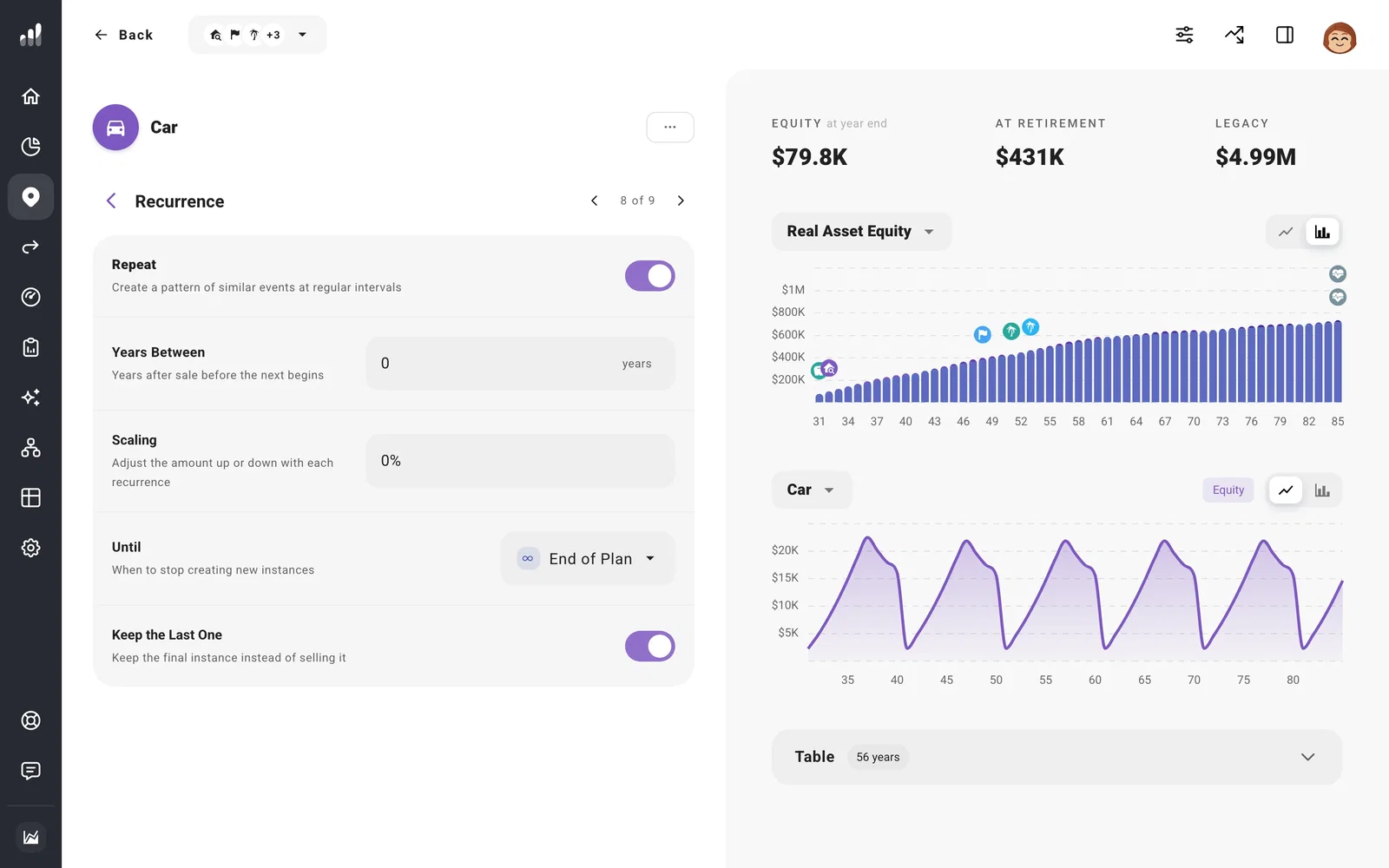
Under Recurrence, turn on Repeat, then choose:
- Years Between: the gap from one sale to the next purchase. Use zero if the replacement happens as soon as the previous asset is sold.
- Scaling: how the purchase amount changes with each replacement.
- Until: when ProjectionLab should stop creating another cycle.
- Keep the Last One: keep the final asset rather than selling it at the end of its cycle.
For an asset you already own, set its sale, then add the first replacement under Future Purchases and turn on Repeat there. If you want the sale to help fund the next purchase, check Send Proceeds To on the old asset and Funding Source on the replacement.
For the financing and ownership-cost choices on a new asset, see Plan a home or property purchase. The same purchase form is used for other real assets.
