Plan a property sale
Selling a property can free up money for your next home, retirement, or another goal. Add the sale to see what’s left after selling costs and the mortgage are paid.
Open the property under Plan > Real Assets > Sale. Set Timing to the date or milestone when you expect to sell, then enter the Broker’s Fee.
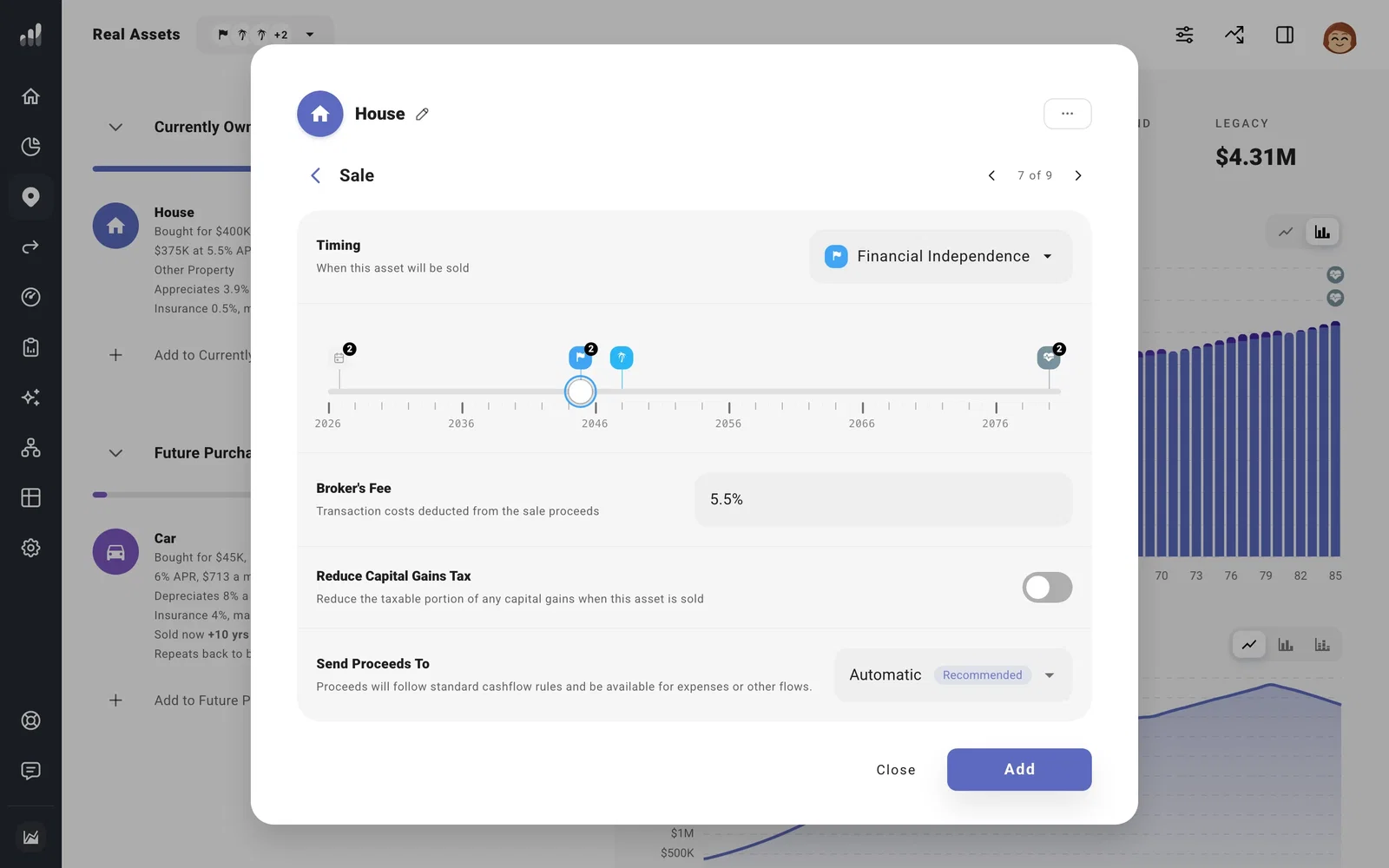
Choose Send Proceeds To to put the remaining money in a particular account. Leave it on Automatic if you want it available to the rest of your plan. ProjectionLab pays off the property’s loan first; any debt the sale doesn’t cover stays in your plan.
Plan for tax on the gain
The gain is based on what you sell for, less selling costs and the property’s cost basis. Enter the original purchase price as your starting point. Improvements entered on the property raise the basis; rental depreciation lowers it.
For qualifying US home sales, up to $250,000 of the gain is tax-free, or $500,000 when married filing jointly. The main requirement is owning and living in the home for at least two of the five years before the sale. See the IRS home sale exclusion rules.
Keep the home marked as Primary Residence so your plan can include the estimated exclusion. In the sale year, open Tax Analytics > Deductions to see the Primary Residence Deduction.
For an exemption the plan has not already included, turn on Reduce Capital Gains Tax and enter the exempt percentage. This reduces the taxable gain before the tax rate is applied.
Sell only if you need to
If you want to keep the property but would sell it to cover a shortfall, turn on Liquidate if Necessary under More Options. You can leave the planned sale timing on Never.
Next: Plan a move from your current home if you’re selling to buy another home.
