Set your estate assumptions and heirs
Set the taxes and costs you expect when your estate is settled, then choose who receives what remains. Estate uses the end of your plan: your life expectancy for an individual plan, or the later life expectancy for a couple.
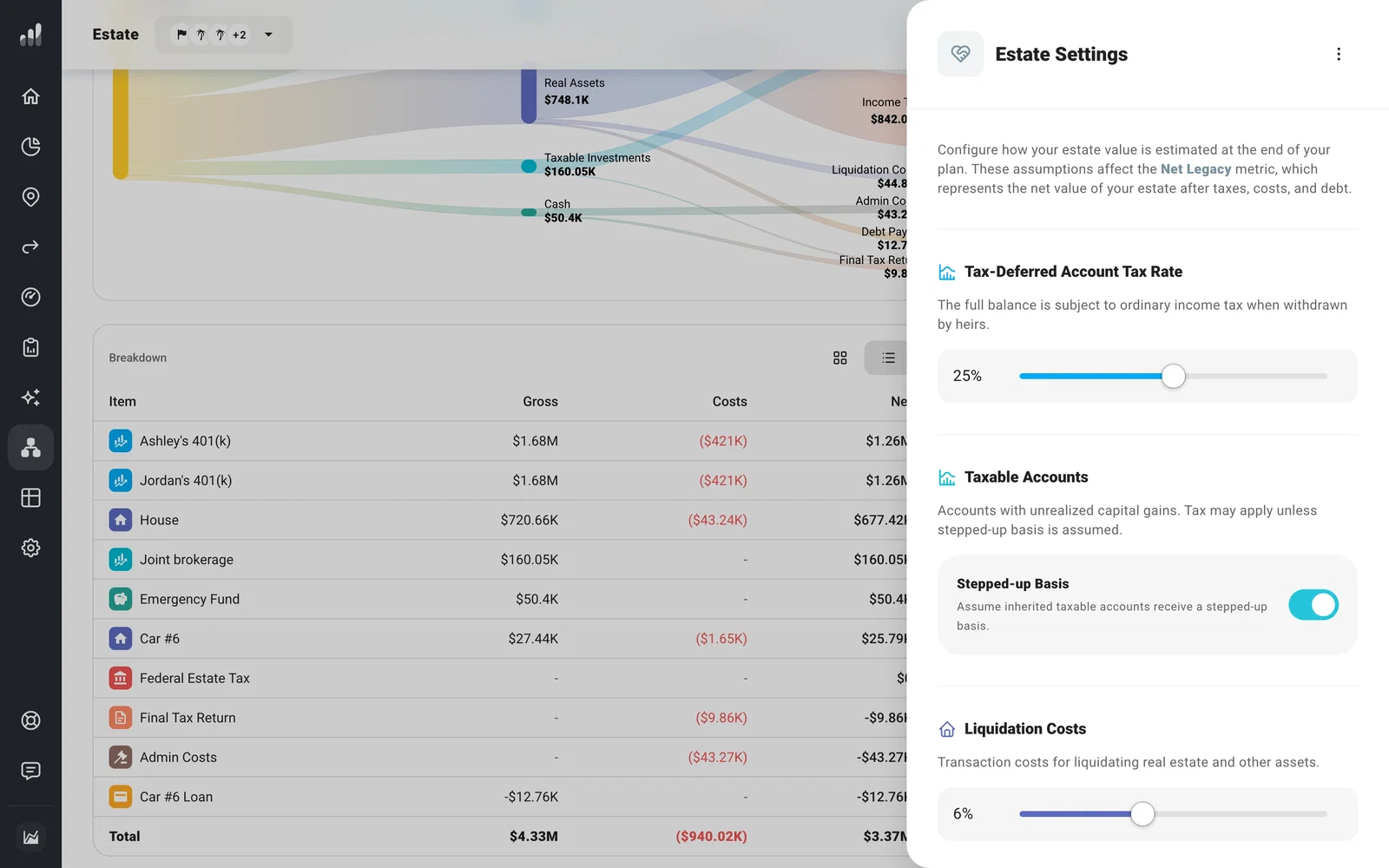
Open Estate from the navigation. In Assumptions, select any row or the gear to open Estate Settings. The settings belong to the plan you have open, so you can use different assumptions in different plans.
Check the assumptions
Start with the defaults, then change the ones you have a reason to test:
- Tax-Deferred Account Tax Rate estimates the tax heirs may pay when withdrawing inherited tax-deferred accounts.
- Stepped-up Basis controls whether unrealized gains in taxable accounts are reset at inheritance. Turn it off to set a Capital Gains Tax Rate for those gains.
- Liquidation Costs estimates the cost of selling real assets. Administrative Costs covers expenses such as legal and executor fees.
- Charitable Giving sets the share of the gross estate intended for charity. ProjectionLab allocates it from the assets with the highest modeled tax or liquidation cost first, then shows the gift separately from To Heirs.
For a donation during your lifetime, see Plan charitable giving during your lifetime.
For US plans, the estimate includes federal estate tax, but not a state’s separate estate or inheritance tax.
Changes update the Estate results. Use the menu at the top of Estate Settings to Reset Defaults if you want to start over with the original assumptions.
Choose who inherits
Scroll to Who Inherits. If your plan includes children who are still alive at the end of the plan, ProjectionLab divides To Heirs among them equally by default.
Select Add an heir to include another person from Household. If there is no one else to select, Add someone to your household takes you there first. Select an heir’s row to change their share or choose Doesn’t inherit. When you add or remove someone, the named heirs share equally until you set a different split.
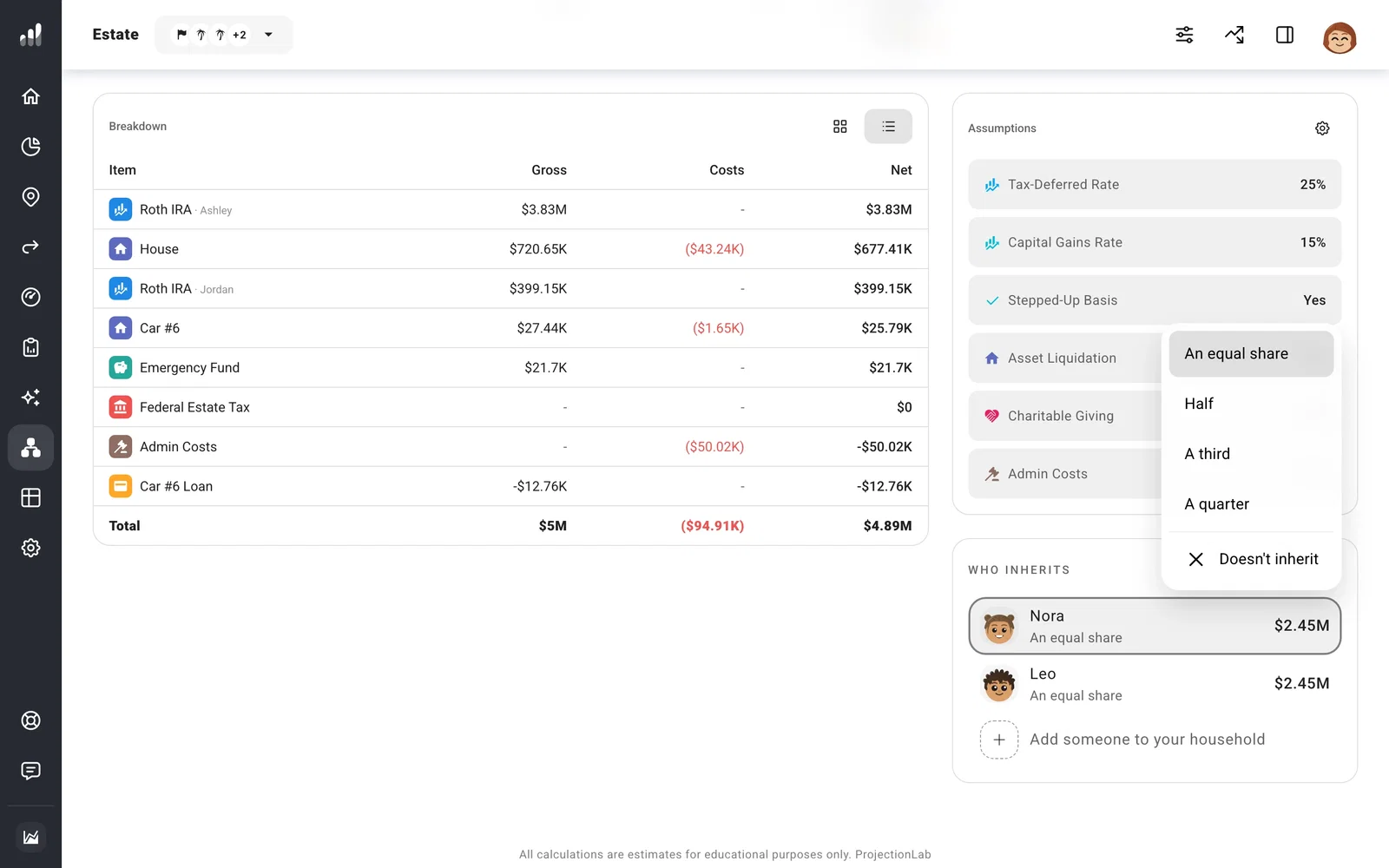
Once you have named heirs, a child added later to Household is not included automatically. Add them here if you want them in that split.
Naming heirs changes the split shown in your forecast; it does not update a will or account beneficiaries. The amounts in Who Inherits change with the plan. For a closer look at what is deducted before that split, see What is Net Legacy and how is it calculated?.
