Review and refine your first plan
Your first plan is ready. Spend a few minutes checking the estimates from setup, then focus on the decisions you want your plan to help you make.
Refine your plan
On Home, you’ll see a section called Refine your plan. It lists the details ProjectionLab estimated. Select Change to review and edit a detail, or Keep to remove the reminder. You can always navigate to the relevant section and edit it later.
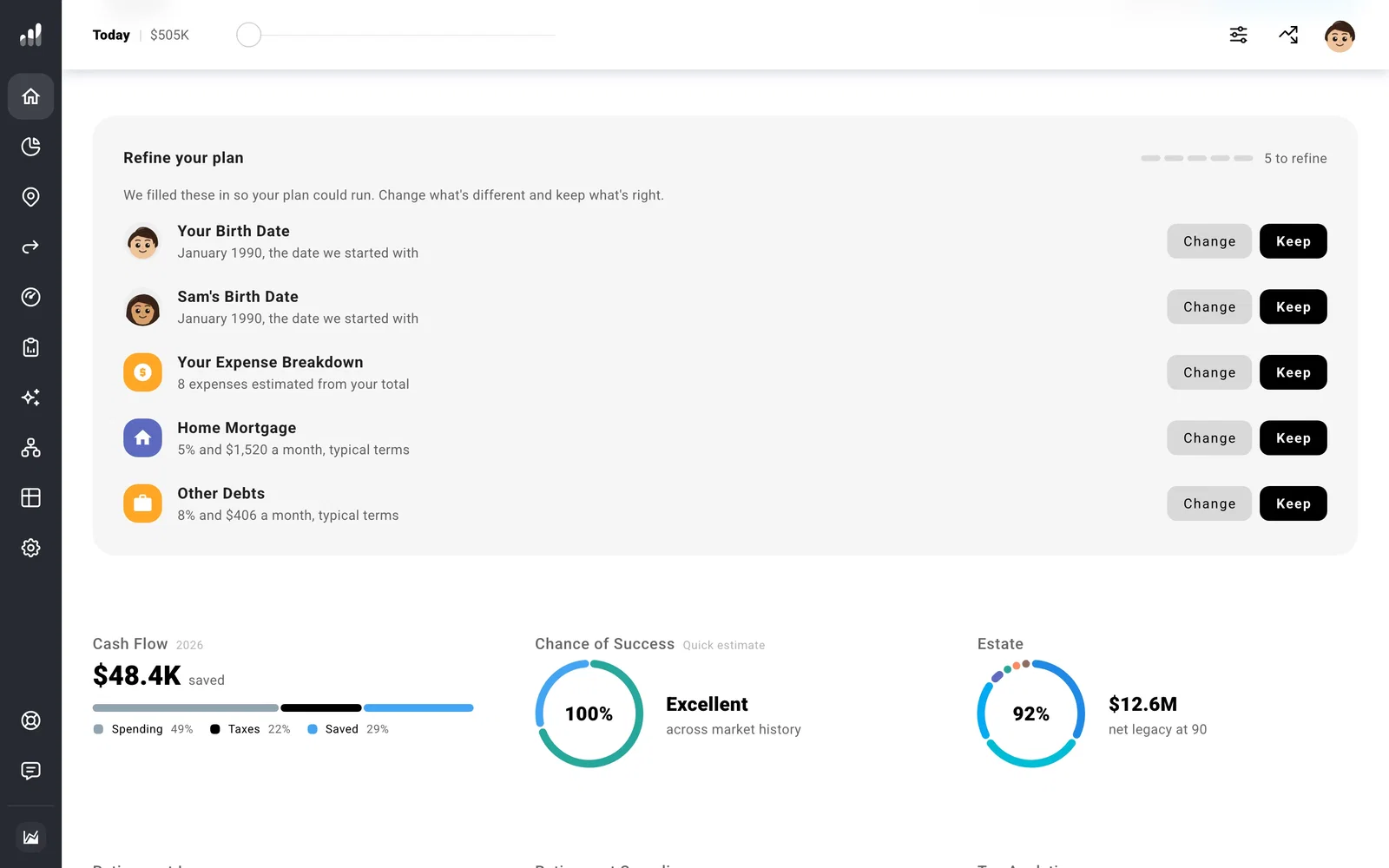
The estimates depend on what you entered during onboarding. For example, if you gave one monthly spending total, review the expense categories. ProjectionLab estimated the breakdown. If you entered a debt balance, confirm the interest rate and payment too. Your birth date may also appear here if you left the default.
To change who’s in your plan or edit a birth date, open Household. For your location or filing status, open Settings > Tax.
Note
If you started with a blank plan, use Start your plan on Home instead.
Your balances
Next, open Net Worth and make sure the balances for your accounts, property, and debts look right. If anything has changed, update your current balances. You can keep a broad total for now and split it into individual accounts when their different tax or withdrawal rules matter to your plan.
If you added a home and mortgage, it’s also worth reviewing the home’s value, loan balance, interest rate, and payment.
Plan around the years that matter
When do you want to retire, and what changes then? Check your retirement milestones, then review when your pay and benefits begin or end. Timing matters as much as the amount: a pension starting after work ends can leave a gap that savings must cover.
Next, think about spending that setup did not cover. You might add a future housing change, education costs, or travel and other expenses. Add the changes that matter to your life; you can return to smaller details later.
If you save into particular accounts, set up contributions in Flows. Their order decides which goals receive available income first.
Read your starting result
Open Plan > Overview and move through the years. Look at when work ends, a large expense begins, and withdrawals start. Does the forecast reflect the changes you intended? Select a year that surprises you and review its details before changing your estimates.
Next: Explore ProjectionLab
