Add property or another asset you already own
Add a home, rental property, vehicle, or other asset you already own with its full value today. If it has a loan, enter that separately so your net worth reflects the equity you have in it.
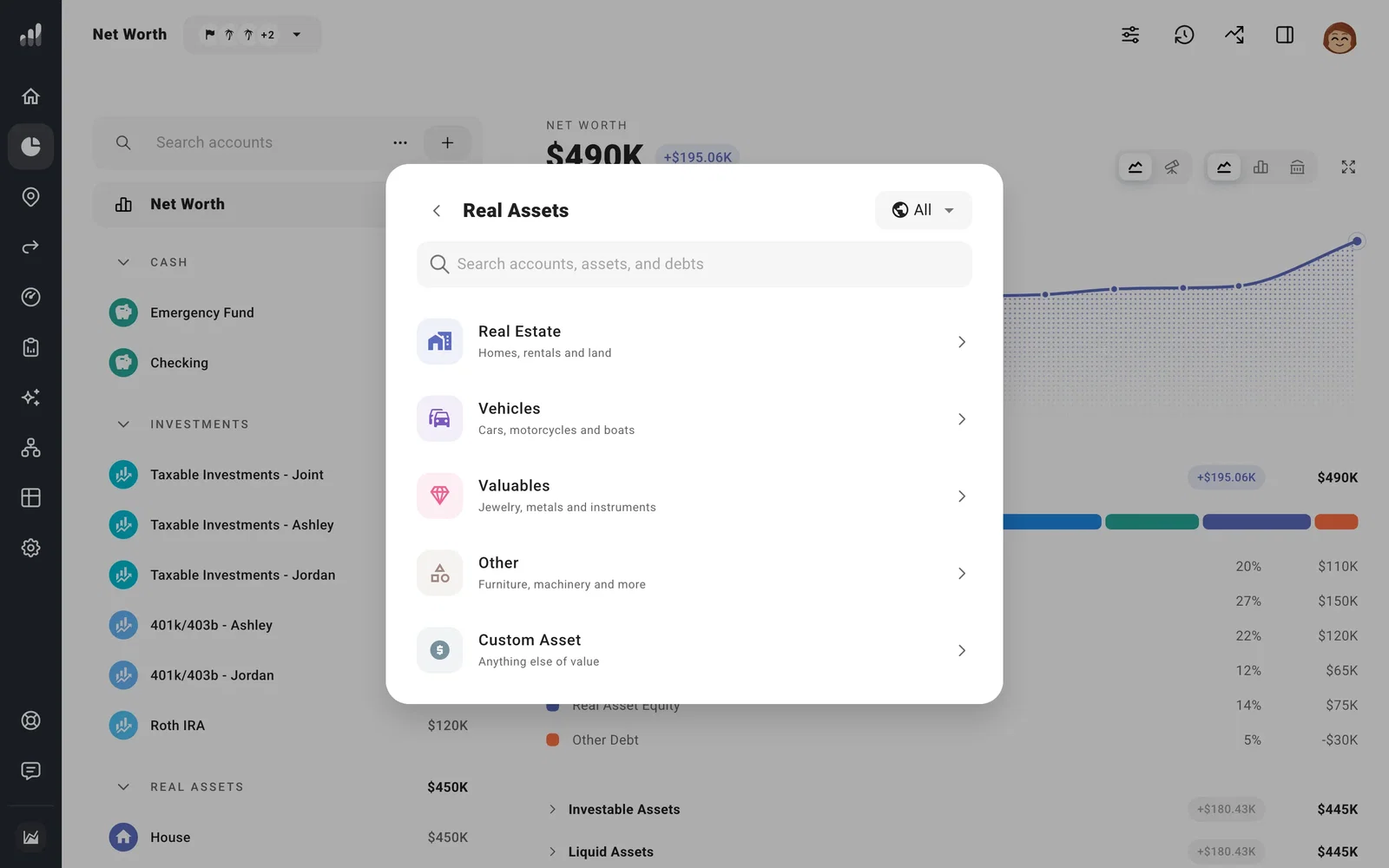
Go to Net Worth, select the + beside Search accounts, then Real Assets. Choose the asset type and enter its owner, Purchase Price, and Current Value before selecting Add. The purchase price helps estimate tax on a future sale; the current value is what it’s worth now.
Include a policy’s cash value
To include cash-value life insurance in Net Worth, choose Custom Asset and enter the cash value, rather than the policy’s death benefit. Set Change Over Time to match the policy’s cash-value projection, and add premiums as expenses.
Add the mortgage or other loan
Add the loan under Debts, then choose the home, vehicle, or other asset it is borrowed against. If you’ve already added the loan, open it and choose the asset there.
Use the asset’s Plan tab to set appreciation or depreciation, ongoing costs, rental income, and a future sale. Model a rental property covers rent, expenses, and rental use.
For something you’ll buy later, use Plan a home or property purchase.
Next: Add a loan or other debt
